> ## Documentation Index
> Fetch the complete documentation index at: https://docs.kollekt.io/llms.txt
> Use this file to discover all available pages before exploring further.
# Share your Kollekt link
> How the Share button works, and where to find it.
## Find the Share button
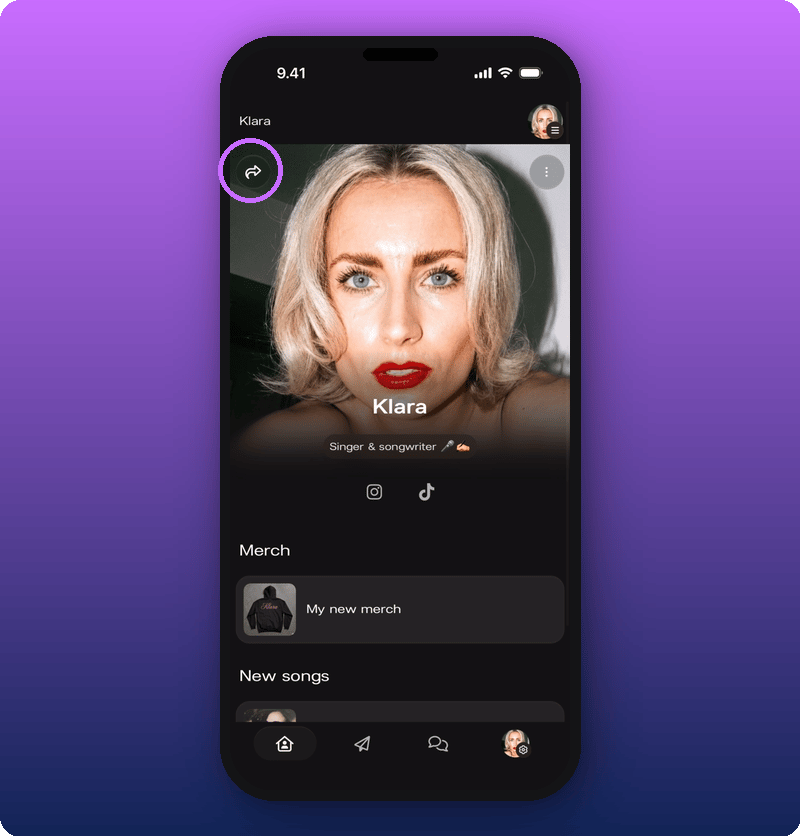
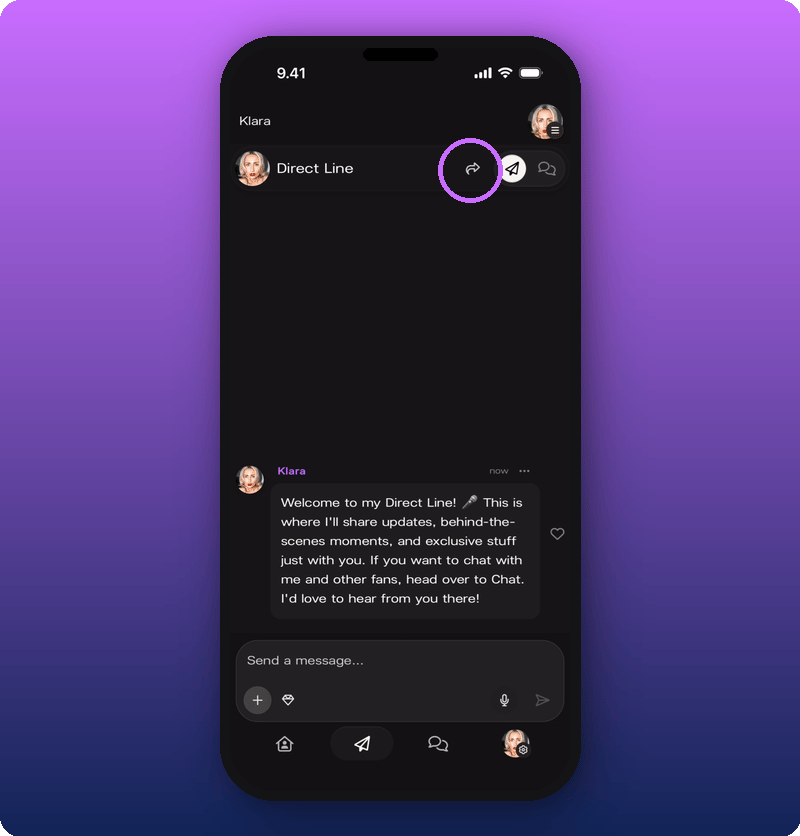
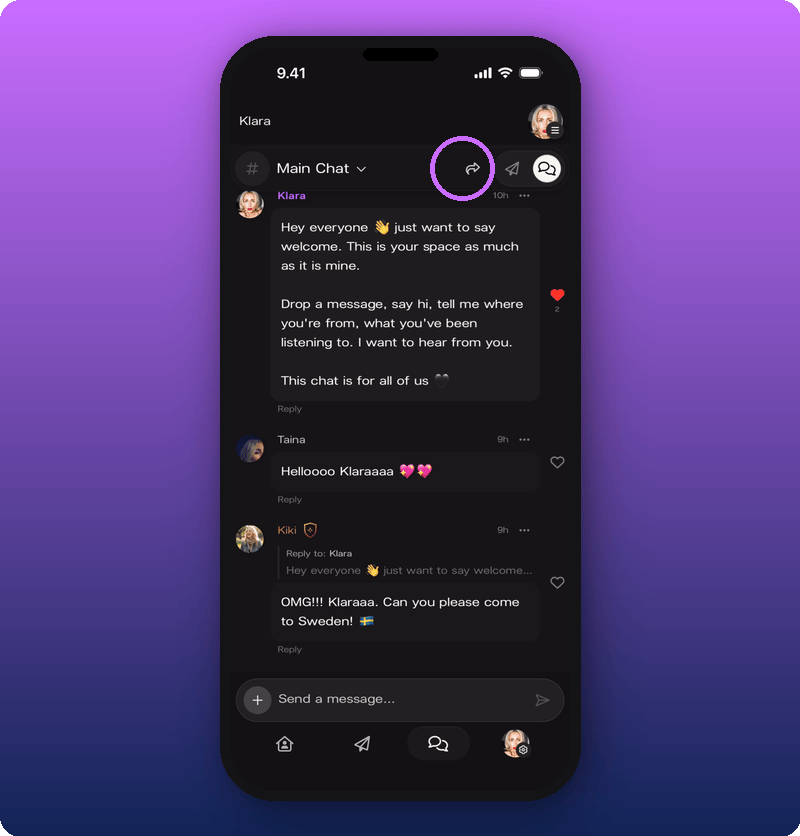
The Share button (a curved arrow icon) sits at the top of every main screen. The link it gives you is different on each screen, so the fan opens exactly where you sent them.
* Home: your artist page (`https://kollekt.io/yourname`)
* Direct Line: opens your Direct Line for them
* Chat: opens your Chat for them
**Home**
 **Direct Line**
 **Chat**
 ## The Share Sheet
Tapping the Share button opens the Share Sheet. It has three actions:
## The Share Sheet
Tapping the Share button opens the Share Sheet. It has three actions:
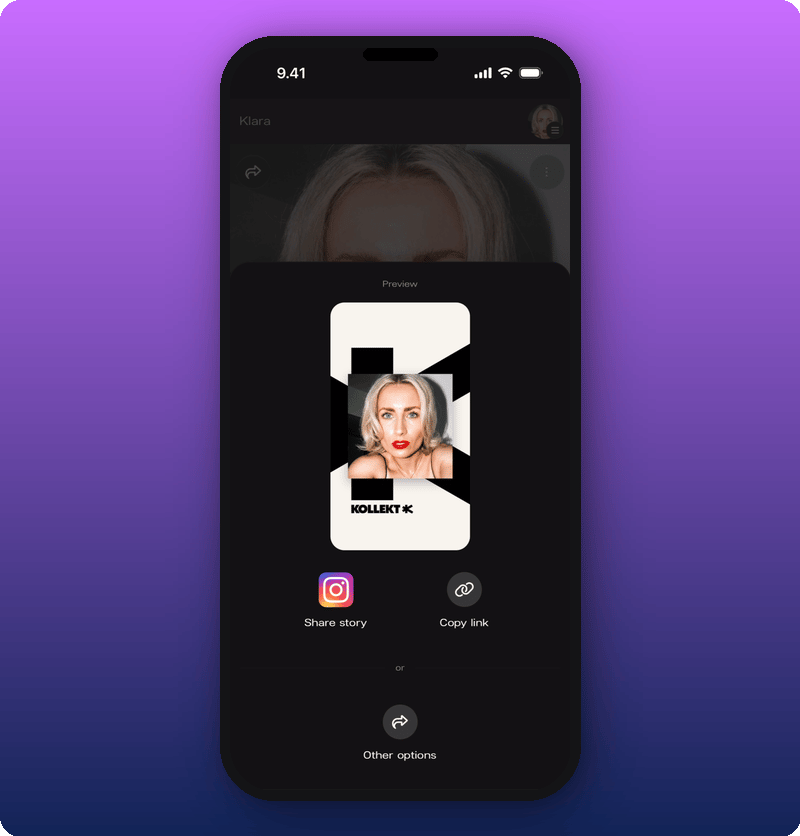 * **Copy link.** Copies the link for the current screen to your clipboard. Paste anywhere.
* **Share story.** Drops your Kollekt card into the Instagram Story composer. You still need to add the link yourself using Instagram's link sticker. See [Post to your Instagram Story](/for-artists/bring-fans-in/instagram-stories).
* **Other options.** Opens your phone's normal share menu (WhatsApp, Messages, Mail, AirDrop, any other app).
## Quick reference
| What you want to share | Where to tap | Where the fan opens |
| ---------------------- | ------------------ | ------------------- |
| Your artist page | Home screen | Artist Home page |
| Your Direct Line | Direct Line screen | Direct Line feed |
| Your Chat | Chat screen | Community Chat |
## Related
* [Announce Kollekt to your fans](/for-artists/bring-fans-in/announce-to-your-fans)
* [Add Kollekt to your social bios](/for-artists/bring-fans-in/social-bios)
* [Post to your Instagram Story](/for-artists/bring-fans-in/instagram-stories)
* **Copy link.** Copies the link for the current screen to your clipboard. Paste anywhere.
* **Share story.** Drops your Kollekt card into the Instagram Story composer. You still need to add the link yourself using Instagram's link sticker. See [Post to your Instagram Story](/for-artists/bring-fans-in/instagram-stories).
* **Other options.** Opens your phone's normal share menu (WhatsApp, Messages, Mail, AirDrop, any other app).
## Quick reference
| What you want to share | Where to tap | Where the fan opens |
| ---------------------- | ------------------ | ------------------- |
| Your artist page | Home screen | Artist Home page |
| Your Direct Line | Direct Line screen | Direct Line feed |
| Your Chat | Chat screen | Community Chat |
## Related
* [Announce Kollekt to your fans](/for-artists/bring-fans-in/announce-to-your-fans)
* [Add Kollekt to your social bios](/for-artists/bring-fans-in/social-bios)
* [Post to your Instagram Story](/for-artists/bring-fans-in/instagram-stories)