> ## Documentation Index
> Fetch the complete documentation index at: https://docs.kollekt.io/llms.txt
> Use this file to discover all available pages before exploring further.
# Connect your payout account
> Add your bank and ID when you're ready to get paid. Your money is saved until you connect Stripe.
Payouts on Kollekt run through Stripe. Connecting takes a few minutes and needs your bank details, a bit of ID, and your tax info. You can do this any time. Your earnings start adding up from the first sale, and connecting is only needed before you want to take the money out.
Only the page owner sets this up. Team members on a revenue split set up their own payout under their own profile.
## Open the payout form
1. Tap your user profile icon at the top of your Home page.
2. Tap the gear icon with **Edit** to open your user profile editor.
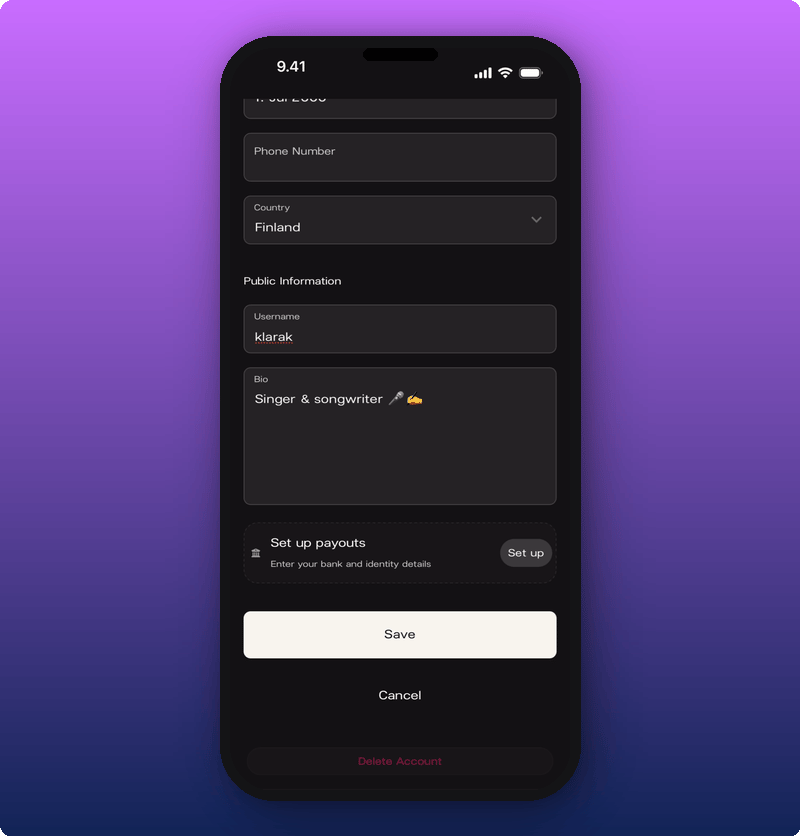
3. Scroll to the bottom. You'll see a **Set up payouts** section with a **Set up** button.
4. Tap **Set up**.
 ## Fill in bank details and identity
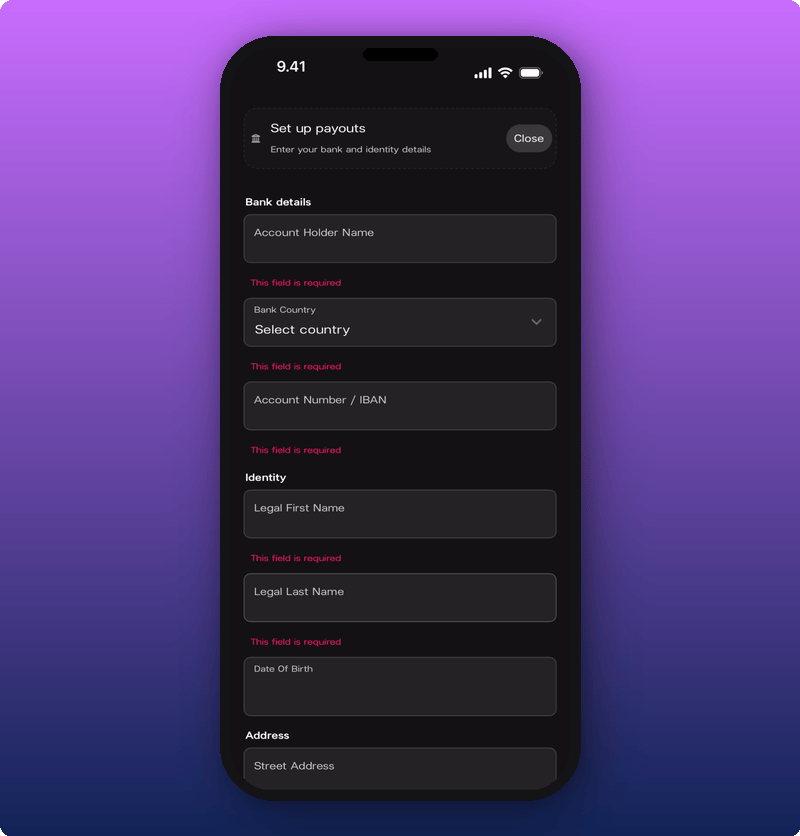 Two sections open up:
* **Bank details.** Account Holder Name, Bank Country, Account Number or IBAN.
* **Identity.** Legal First Name, Legal Last Name, Date of Birth.
All fields are needed. A red message shows under any empty field when you try to save.
## Fill in address and tax info
Two sections open up:
* **Bank details.** Account Holder Name, Bank Country, Account Number or IBAN.
* **Identity.** Legal First Name, Legal Last Name, Date of Birth.
All fields are needed. A red message shows under any empty field when you try to save.
## Fill in address and tax info
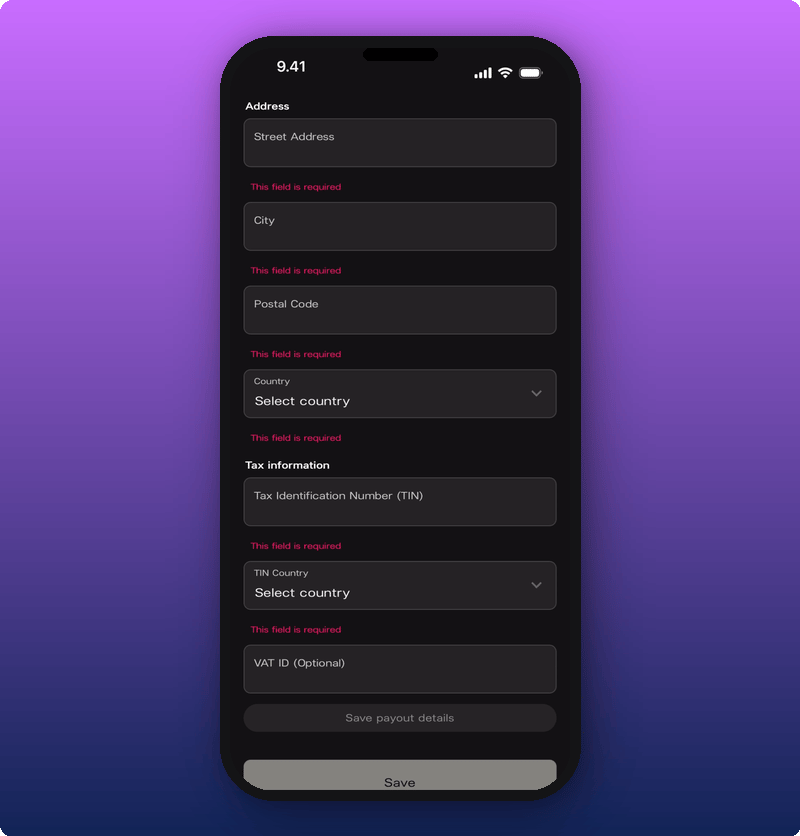 * **Address.** Street Address, City, Postal Code, Country.
* **Tax information.** Tax Identification Number (TIN), TIN Country, VAT ID (optional).
Tap **Save** at the bottom of the form.
## What happens after
Your payout account is connected. Once connected, earnings pay out on Stripe's normal schedule for your country. Any money held before you connected comes through on that same schedule.
## Related
* [Edit your user profile](/for-artists/your-account/edit-user-profile)
* [How subscriptions and earnings work](/for-artists/earn/how-subscriptions-and-earnings-work)
* [See your stats and revenue](/for-artists/earn/see-your-stats-and-revenue)
* [Add team members and split revenue](/for-artists/earn/team-members-and-revenue-splits)
* **Address.** Street Address, City, Postal Code, Country.
* **Tax information.** Tax Identification Number (TIN), TIN Country, VAT ID (optional).
Tap **Save** at the bottom of the form.
## What happens after
Your payout account is connected. Once connected, earnings pay out on Stripe's normal schedule for your country. Any money held before you connected comes through on that same schedule.
## Related
* [Edit your user profile](/for-artists/your-account/edit-user-profile)
* [How subscriptions and earnings work](/for-artists/earn/how-subscriptions-and-earnings-work)
* [See your stats and revenue](/for-artists/earn/see-your-stats-and-revenue)
* [Add team members and split revenue](/for-artists/earn/team-members-and-revenue-splits)