> ## Documentation Index
> Fetch the complete documentation index at: https://docs.kollekt.io/llms.txt
> Use this file to discover all available pages before exploring further.
# Add team members and split revenue
> Share the money with your team like your manager, label, or other artists. Only the owner can change the split.
Open Payments from the Settings gear in the bottom nav, then tap **Edit** to go to your editor and find **Payments**.
## What you see
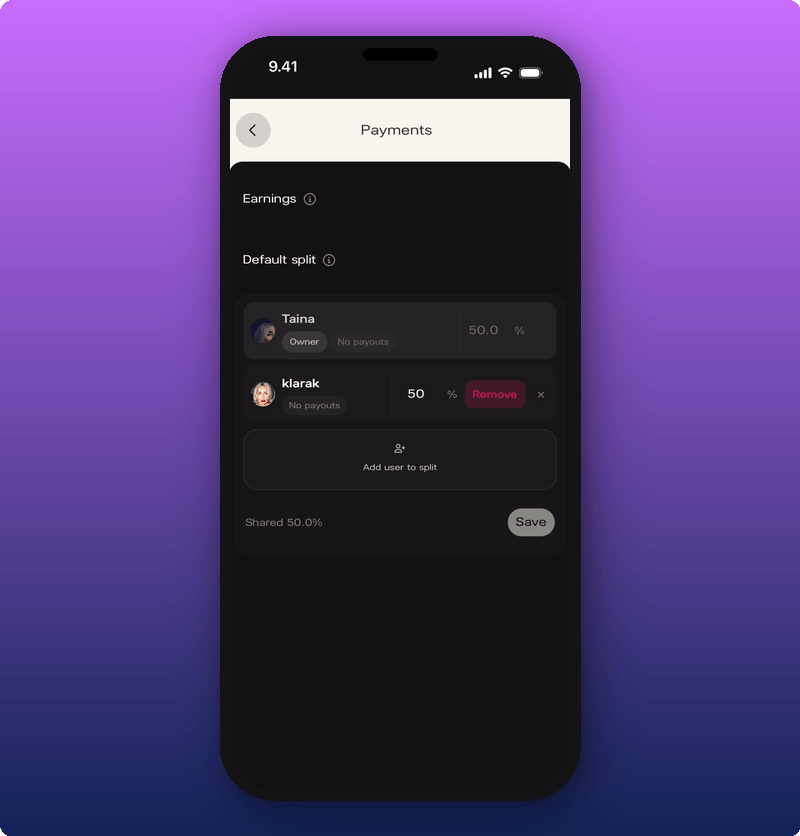
You'll see two sections:
* **Earnings.** Money from all sales. Split into **Pending** (waiting for payout) and **Paid** (already sent).
* **Default split.** How money divides across the team. Tap the info icon on either section for more.
 ## Add someone to the split
The total can't go over 100%. Whatever's left stays with you.
1. Tap **Add user to split**.
2. Search for the team member by name or username.
3. Type their percentage.
4. Tap the checkmark to confirm.
## Add someone to the split
The total can't go over 100%. Whatever's left stays with you.
1. Tap **Add user to split**.
2. Search for the team member by name or username.
3. Type their percentage.
4. Tap the checkmark to confirm.
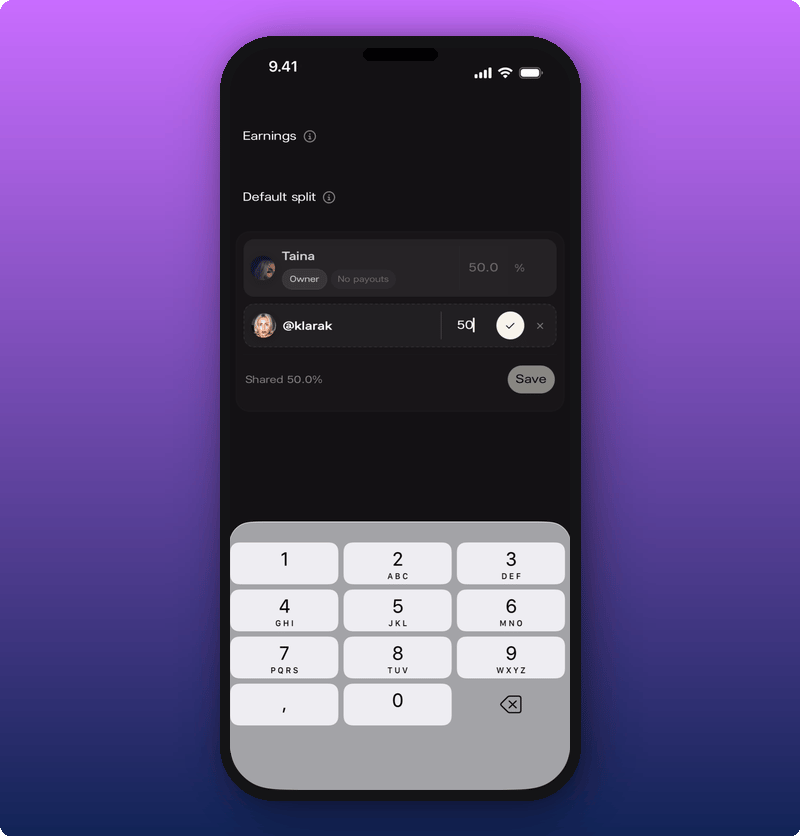 The row shows **Shared \[percentage]%** at the bottom. Tap **Save** to lock it in.
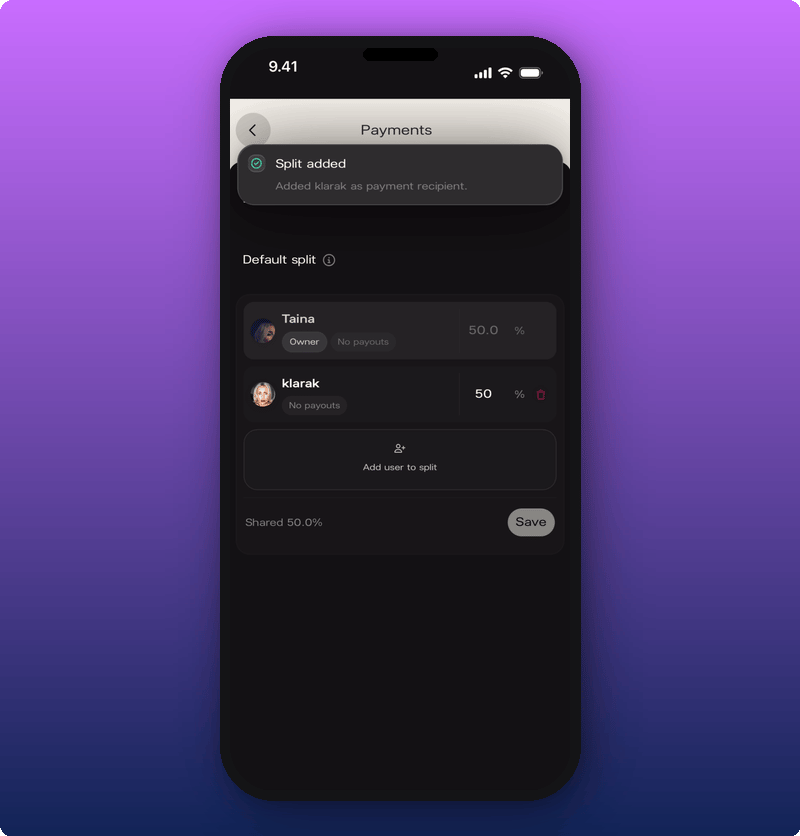 A green **Split added** banner confirms.
## Remove someone from the split
Tap the delete icon next to the team member's row. **Remove** appears. The percentage goes back to 100% for you (or splits across other team members if there are any).
## Related
* [Connect your payout account](/for-artists/earn/connect-your-payout-account)
* [How subscriptions and earnings work](/for-artists/earn/how-subscriptions-and-earnings-work)
* [Manage admins and roles](/for-artists/your-space/manage-admins-and-roles)
A green **Split added** banner confirms.
## Remove someone from the split
Tap the delete icon next to the team member's row. **Remove** appears. The percentage goes back to 100% for you (or splits across other team members if there are any).
## Related
* [Connect your payout account](/for-artists/earn/connect-your-payout-account)
* [How subscriptions and earnings work](/for-artists/earn/how-subscriptions-and-earnings-work)
* [Manage admins and roles](/for-artists/your-space/manage-admins-and-roles)