> ## Documentation Index
> Fetch the complete documentation index at: https://docs.kollekt.io/llms.txt
> Use this file to discover all available pages before exploring further.
# Add and organize link groups
> Bundle related links into sections on your page. Add as many as you want.
## Create a link group
1. Tap the settings icon at the bottom right of your Artist page.
2. Tap **Edit Artist Page**.
3. Scroll to the bottom and tap **+ New link group**.
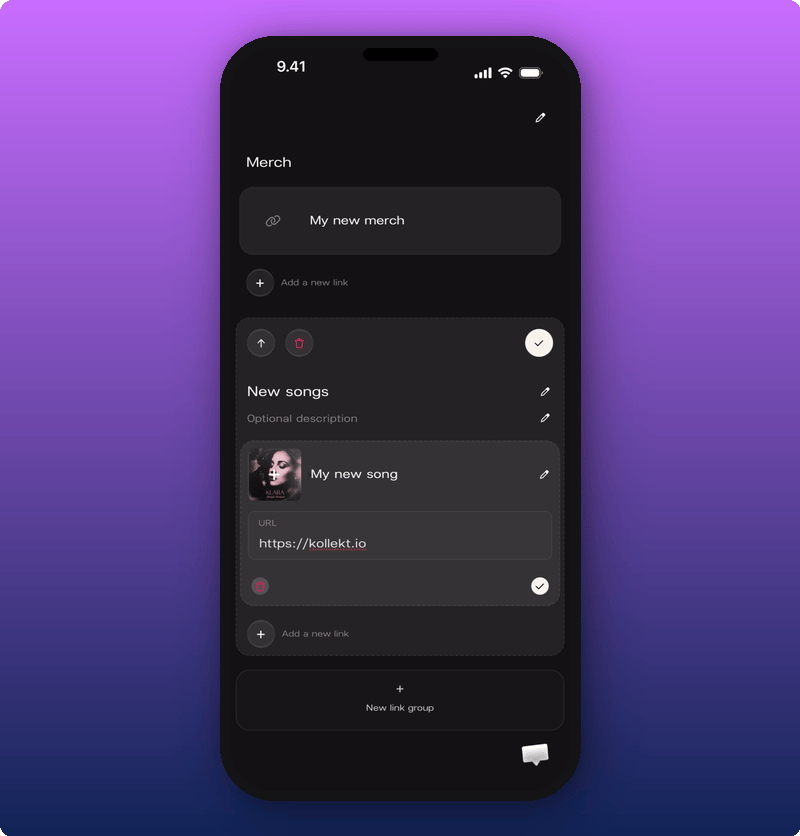
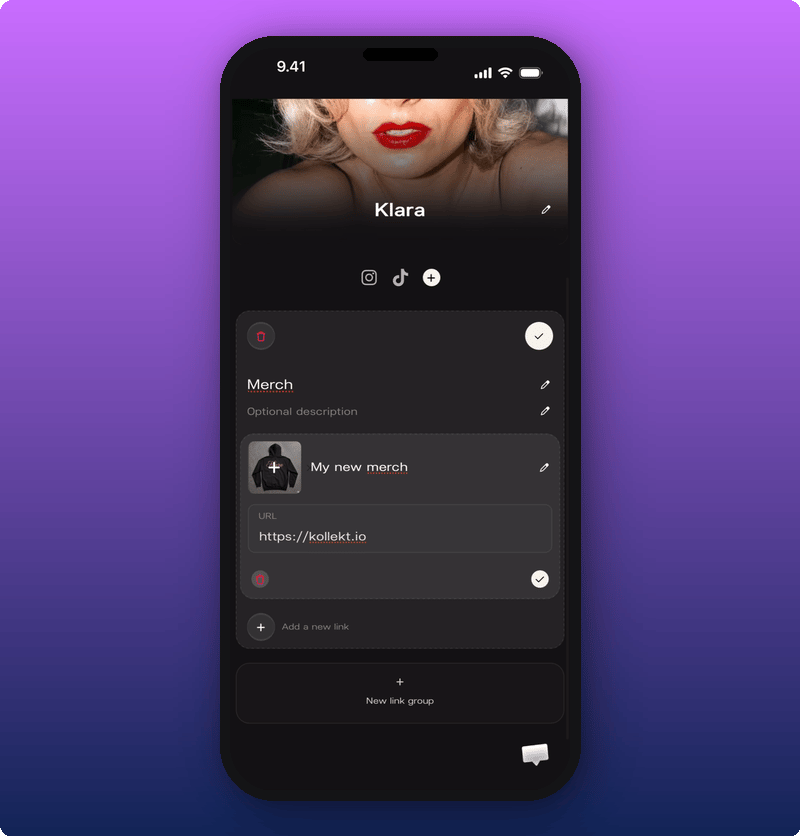
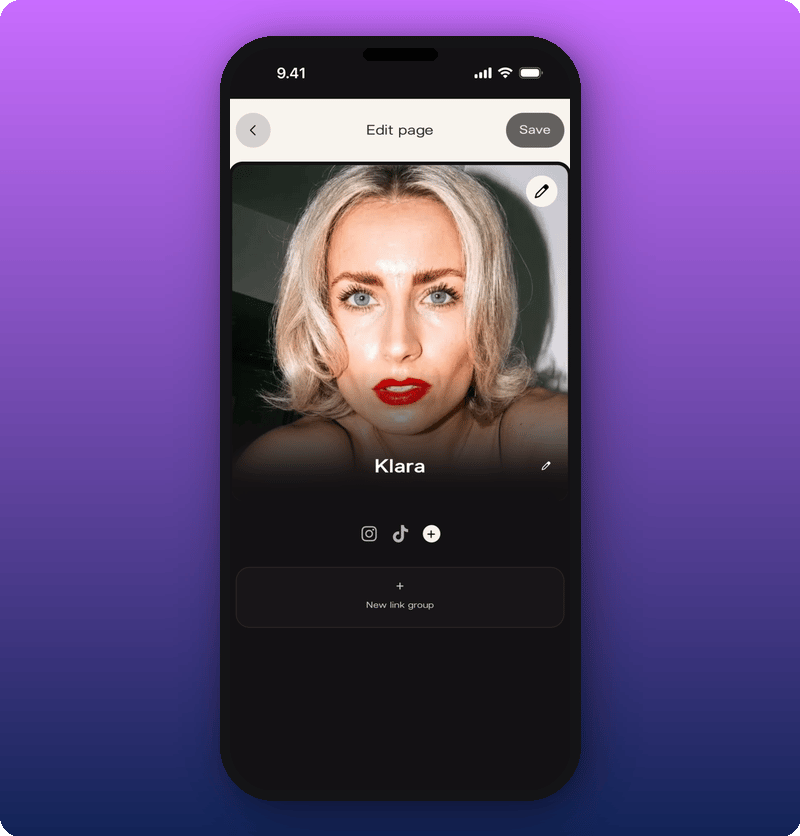 You'll see a new empty link group. Fill it in:
* A title fans will recognize. Examples: **Merch**, **New songs**, **Tickets**.
* (Optional) A short description for context. Like "Limited drop" or "Tickets going fast".
* One or more links. Each link gets a title, a URL, and an optional image.
When you're done, tap **Save** in the top right.
You'll see a new empty link group. Fill it in:
* A title fans will recognize. Examples: **Merch**, **New songs**, **Tickets**.
* (Optional) A short description for context. Like "Limited drop" or "Tickets going fast".
* One or more links. Each link gets a title, a URL, and an optional image.
When you're done, tap **Save** in the top right.
 ## Add, reorder, or remove links
Inside an existing group, you can:
* Add another link.
* Change the order of links.
* Remove a single link.
* Change the order of whole groups on the page.
* Delete a group.
## Add, reorder, or remove links
Inside an existing group, you can:
* Add another link.
* Change the order of links.
* Remove a single link.
* Change the order of whole groups on the page.
* Delete a group.
 ## What fans see
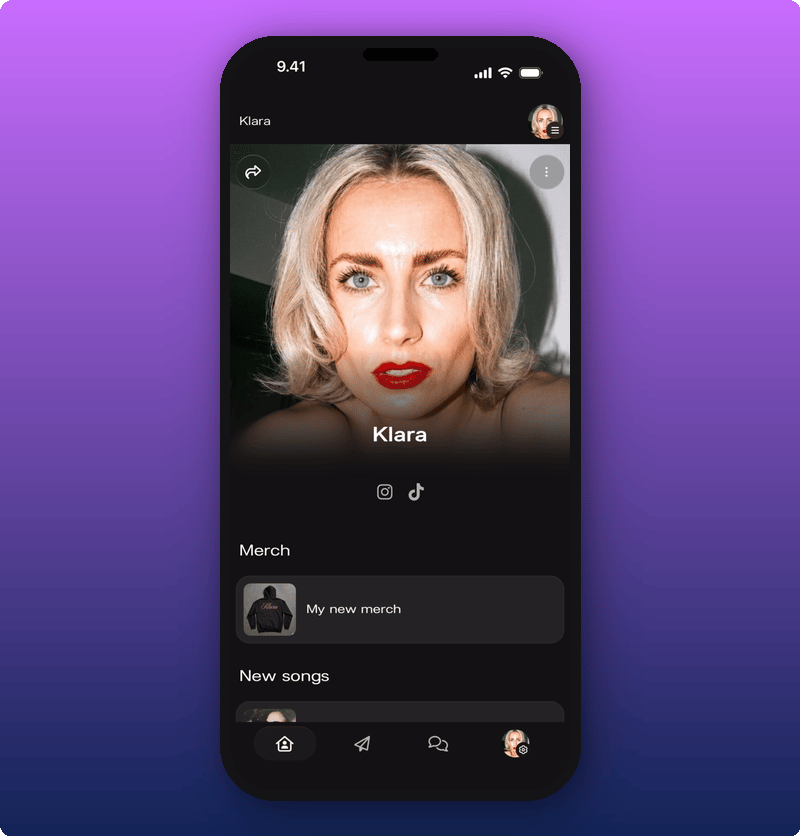
Each group becomes its own section on your public page, with the links inside it.
## What fans see
Each group becomes its own section on your public page, with the links inside it.
 ## Tips
* **2 to 4 groups is the sweet spot.** More than that and the page starts to feel like a list.
* **Use images when you can.** Thumbnail links work better than plain text rows.
* **Name groups by category, not by vibe.** "New music" beats "What I'm into". Fans scan, they don't read.
## Related
* [Edit your Artist page](/for-artists/your-space/editing-the-artist-page)
* [Your Kollekt space, explained](/for-artists/your-space/artist-home)
* [Share your Kollekt link](/for-artists/bring-fans-in/sharing-your-page)
## Tips
* **2 to 4 groups is the sweet spot.** More than that and the page starts to feel like a list.
* **Use images when you can.** Thumbnail links work better than plain text rows.
* **Name groups by category, not by vibe.** "New music" beats "What I'm into". Fans scan, they don't read.
## Related
* [Edit your Artist page](/for-artists/your-space/editing-the-artist-page)
* [Your Kollekt space, explained](/for-artists/your-space/artist-home)
* [Share your Kollekt link](/for-artists/bring-fans-in/sharing-your-page)