> ## Documentation Index
> Fetch the complete documentation index at: https://docs.kollekt.io/llms.txt
> Use this file to discover all available pages before exploring further.
# Run your community chat
> The room where fans talk to each other and to you. Switch rooms, post as your artist or yourself, and reply to messages.
## Post as your artist or as yourself
You can post in two ways: as your personal account (your own avatar) or as your artist (your artist page). You pick per message. Tap the **+** button next to the message input. The pill at the bottom shows who you're posting as. By default, it's your personal account.
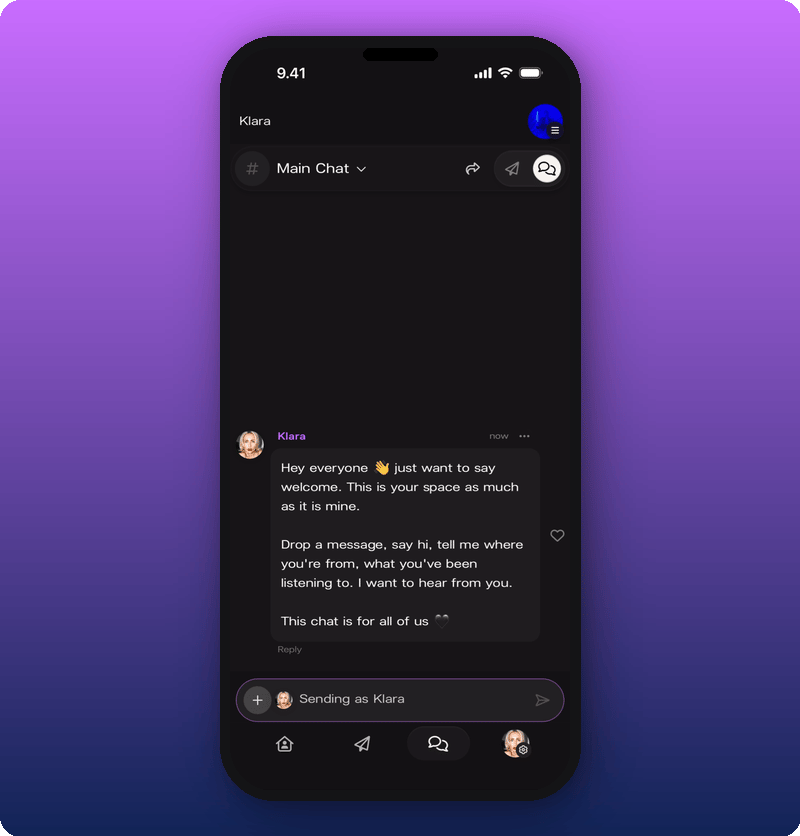
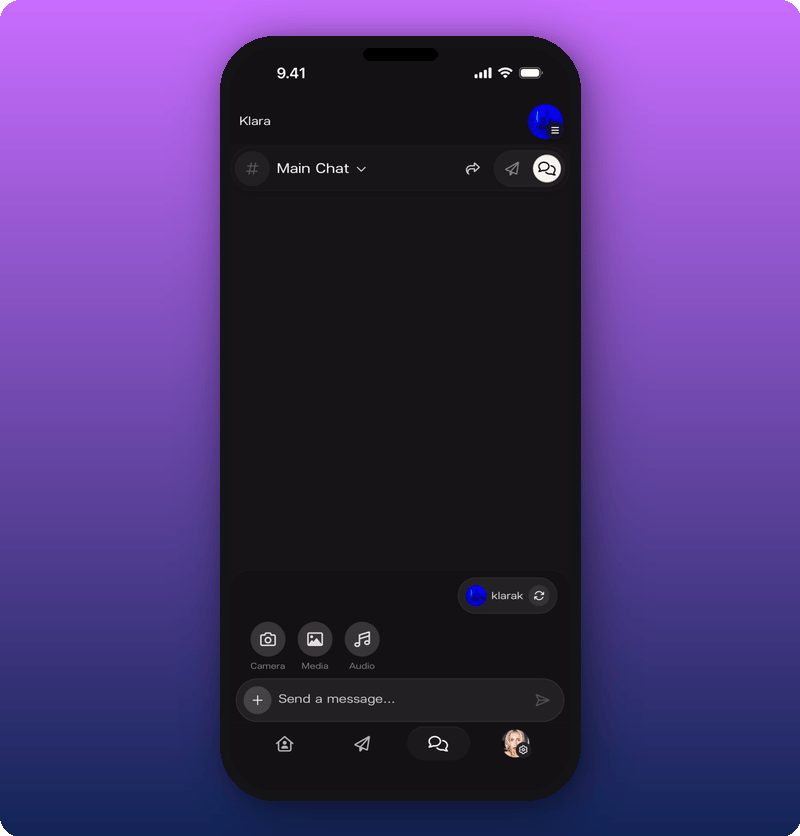 Tap the refresh icon on the pill to switch. When you're posting as your artist, the input field turns purple and reads "Sending as \[Artist Name]".
 ## Switch between rooms
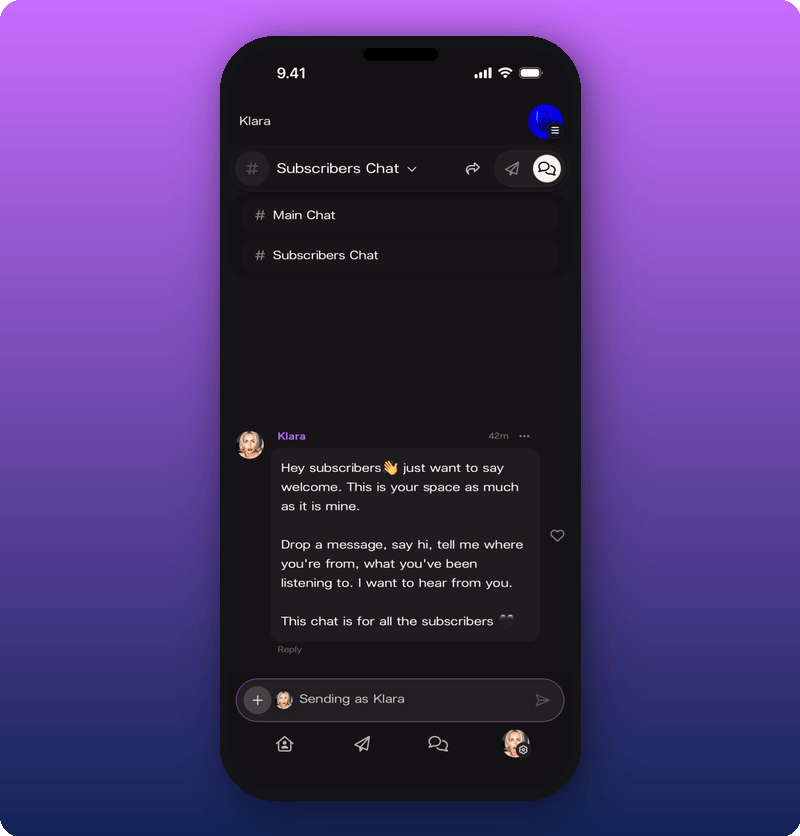
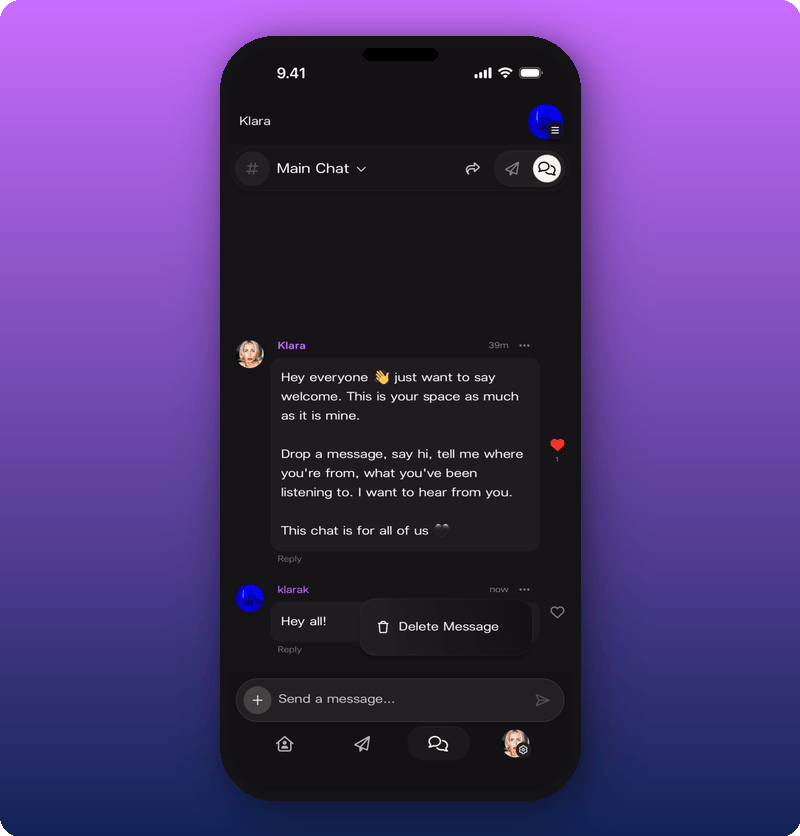
The current room name sits at the top of the screen with a dropdown arrow. Tap it to switch between Main Chat and Subscribers Chat.
## Switch between rooms
The current room name sits at the top of the screen with a dropdown arrow. Tap it to switch between Main Chat and Subscribers Chat.
 ## React, reply, delete
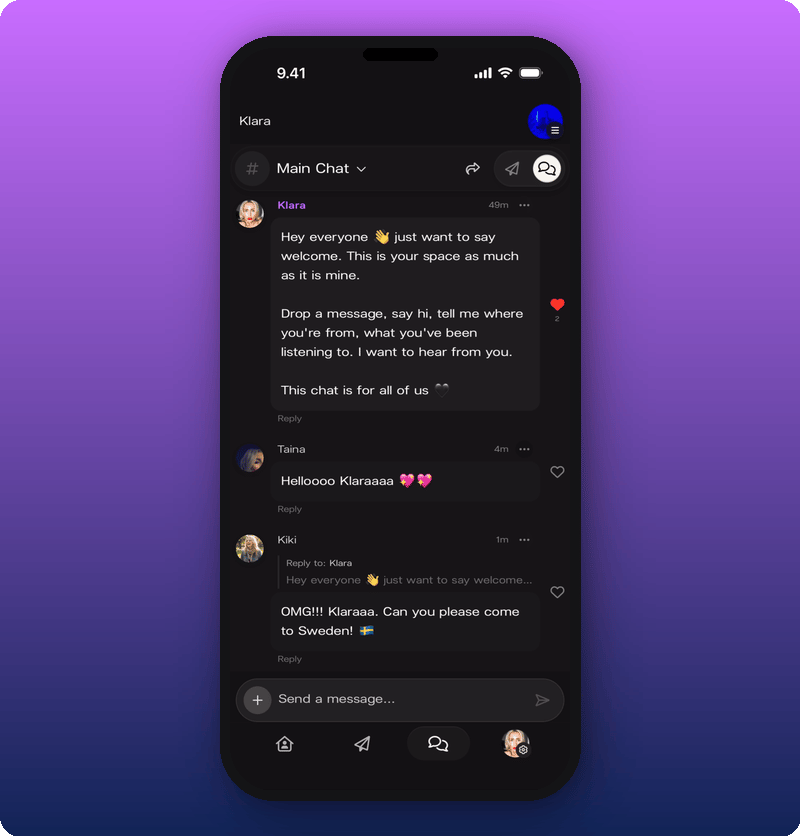
* **React.** Tap the heart icon on any message.
* **Reply.** Tap **Reply** on a message to start a thread. The reply shows below the original with a "Reply to:" label and a preview.
## React, reply, delete
* **React.** Tap the heart icon on any message.
* **Reply.** Tap **Reply** on a message to start a thread. The reply shows below the original with a "Reply to:" label and a preview.
 * **Delete your own message.** Tap the three-dot menu on a message you sent and choose **Delete Message**.
 ## Related
* [Moderate your chat](/for-artists/your-space/moderate-your-chat)
* [Send a Direct Line message](/for-artists/your-space/sending-messages)
* [See your stats and revenue](/for-artists/earn/see-your-stats-and-revenue)
* [Edit your user profile](/for-artists/your-account/edit-user-profile)
## Related
* [Moderate your chat](/for-artists/your-space/moderate-your-chat)
* [Send a Direct Line message](/for-artists/your-space/sending-messages)
* [See your stats and revenue](/for-artists/earn/see-your-stats-and-revenue)
* [Edit your user profile](/for-artists/your-account/edit-user-profile)