> ## Documentation Index
> Fetch the complete documentation index at: https://docs.kollekt.io/llms.txt
> Use this file to discover all available pages before exploring further.
# Moderate your chat
> Mute a fan for a while, make someone a helper, and keep your chat friendly.
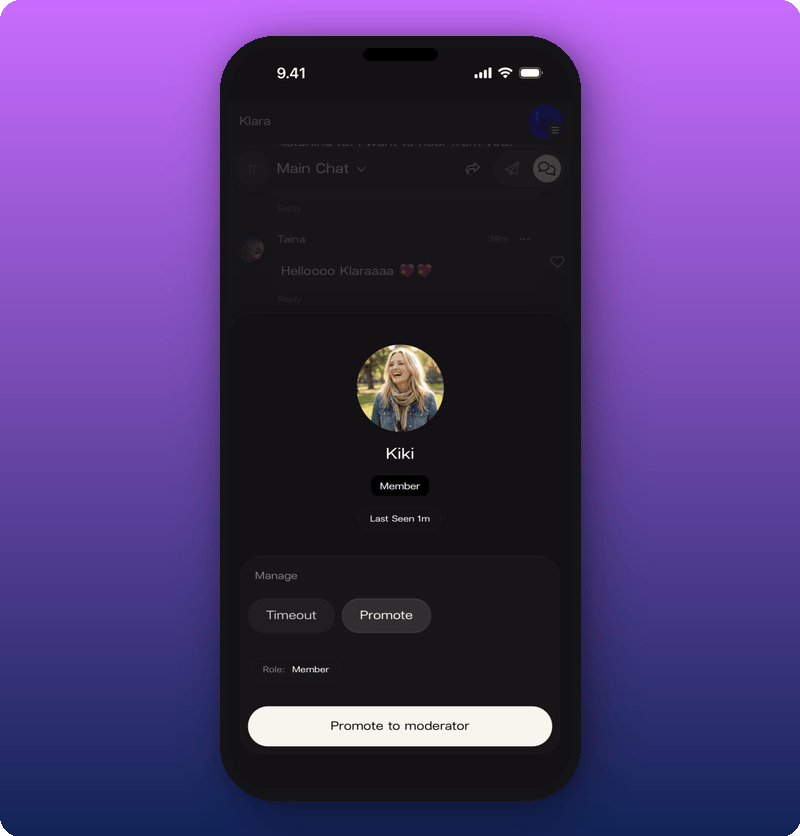
To moderate Chat, tap a fan's name or avatar to open their profile card, then pick the action from there. Two actions are under **Manage**: **Timeout** mutes them for a set time. **Promote** makes them a moderator.
## Open a member's profile card
Tap the name or avatar next to any message in Chat. The card shows the fan's avatar, display name, role badge, and when they were last seen.
 ## Timeout a member
Tap **Timeout** under **Manage**. Four durations appear.
## Timeout a member
Tap **Timeout** under **Manage**. Four durations appear.
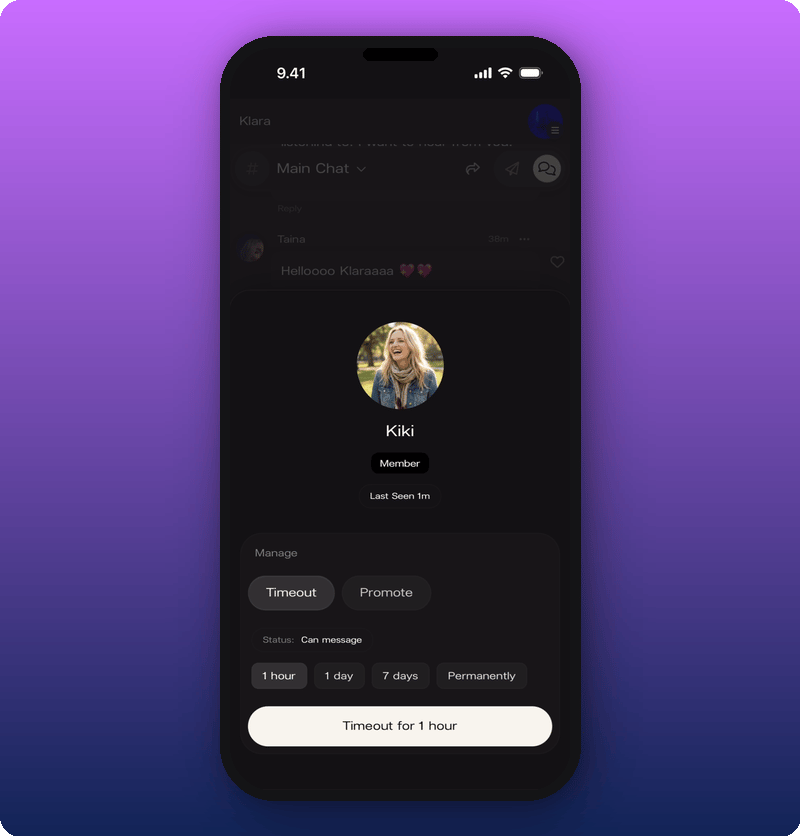 Pick one:
* **1 hour.** Cool down for a single heated moment.
* **1 day.** A stronger signal, still short.
* **7 days.** For repeat issues.
* **Permanently.** Ban for good.
While a timeout is active, the member's card shows **Muted** with the time remaining. Tap **Remove timeout** (the button turns red) to end it early.
## Promote a moderator
Moderators can moderate too. Making someone a moderator gives them the same tools as you. Useful for active rooms when you can't be online all day. You can have as many moderators as you want.
Tap **Promote** to make someone a moderator. The card updates with a gold shield badge and the role changes to **Moderator**.
Pick one:
* **1 hour.** Cool down for a single heated moment.
* **1 day.** A stronger signal, still short.
* **7 days.** For repeat issues.
* **Permanently.** Ban for good.
While a timeout is active, the member's card shows **Muted** with the time remaining. Tap **Remove timeout** (the button turns red) to end it early.
## Promote a moderator
Moderators can moderate too. Making someone a moderator gives them the same tools as you. Useful for active rooms when you can't be online all day. You can have as many moderators as you want.
Tap **Promote** to make someone a moderator. The card updates with a gold shield badge and the role changes to **Moderator**.
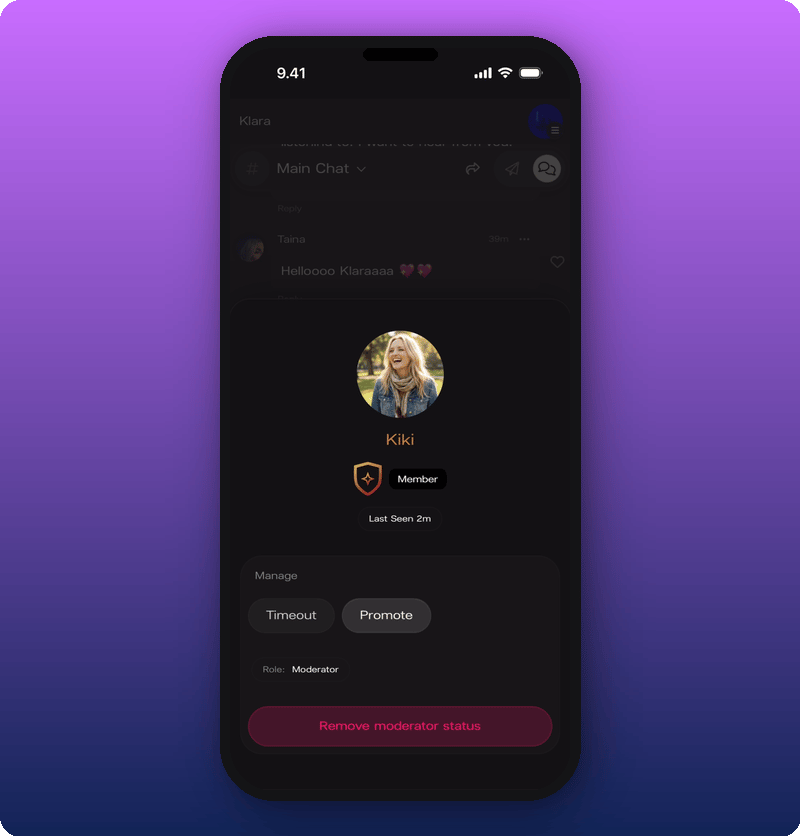 To remove their moderator status, open the same card and tap **Remove moderator status** at the bottom.
## Related
* [Run your community chat](/for-artists/your-space/community-chat)
* [Manage admins and roles](/for-artists/your-space/manage-admins-and-roles)
To remove their moderator status, open the same card and tap **Remove moderator status** at the bottom.
## Related
* [Run your community chat](/for-artists/your-space/community-chat)
* [Manage admins and roles](/for-artists/your-space/manage-admins-and-roles)