> ## Documentation Index
> Fetch the complete documentation index at: https://docs.kollekt.io/llms.txt
> Use this file to discover all available pages before exploring further.
# Joining the chat
> Talk in the artist's chat. Send messages, react with hearts, reply to threads, view profiles.
## After you've joined
Once you're in, the message box appears at the bottom and you can post.
## Sending a message
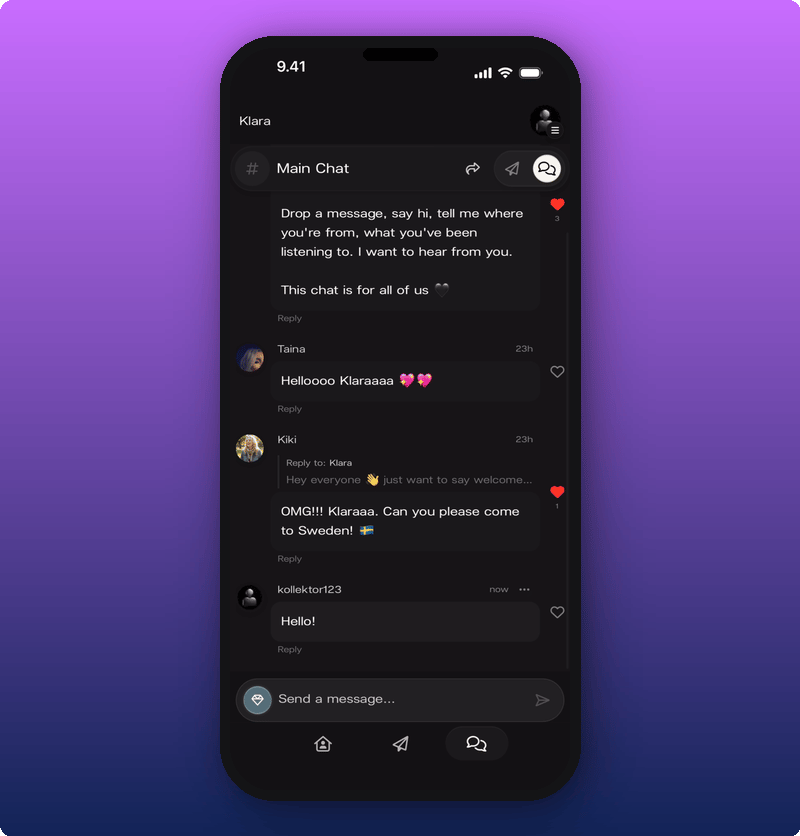
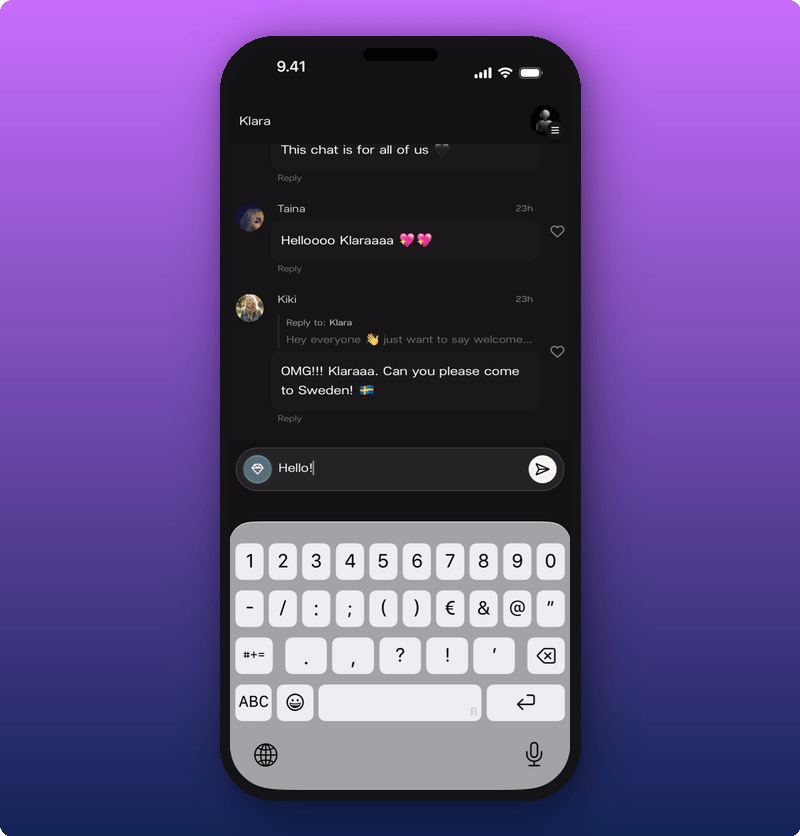
Tap the message box. Your keyboard opens. Type and tap the send arrow.
### Sending photos and videos (subscribers)
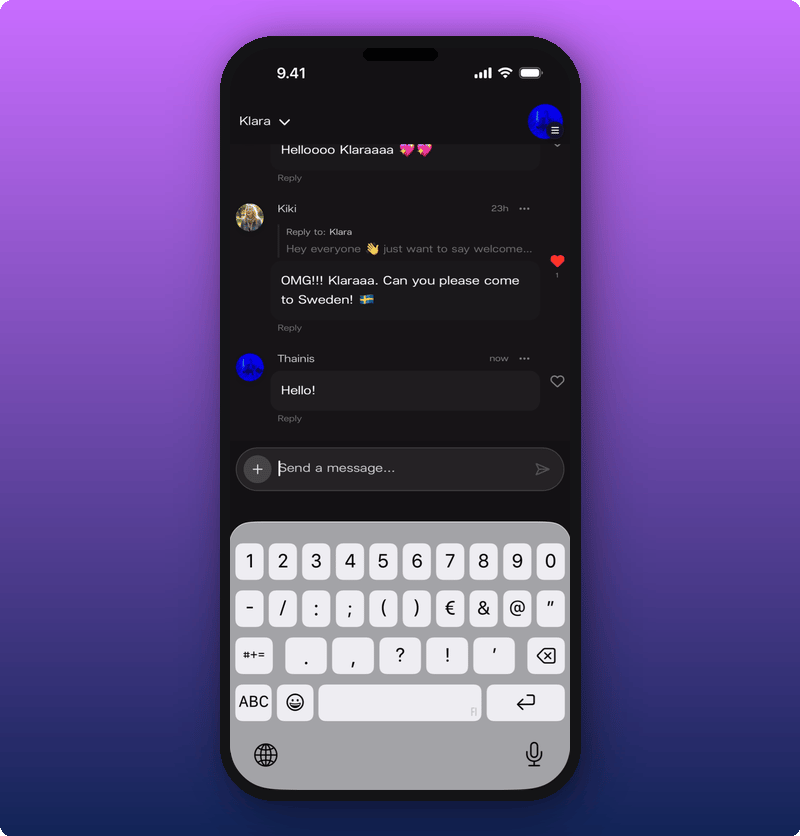
Sending photos and videos in chat is a subscriber perk. If you're a subscriber, tap the **+** to the left of the message box to attach something.
## Reacting with a heart
Tap the heart next to any message. The heart fills in red and the count goes up.
Tap it again to take your heart back.
## Replying in a thread
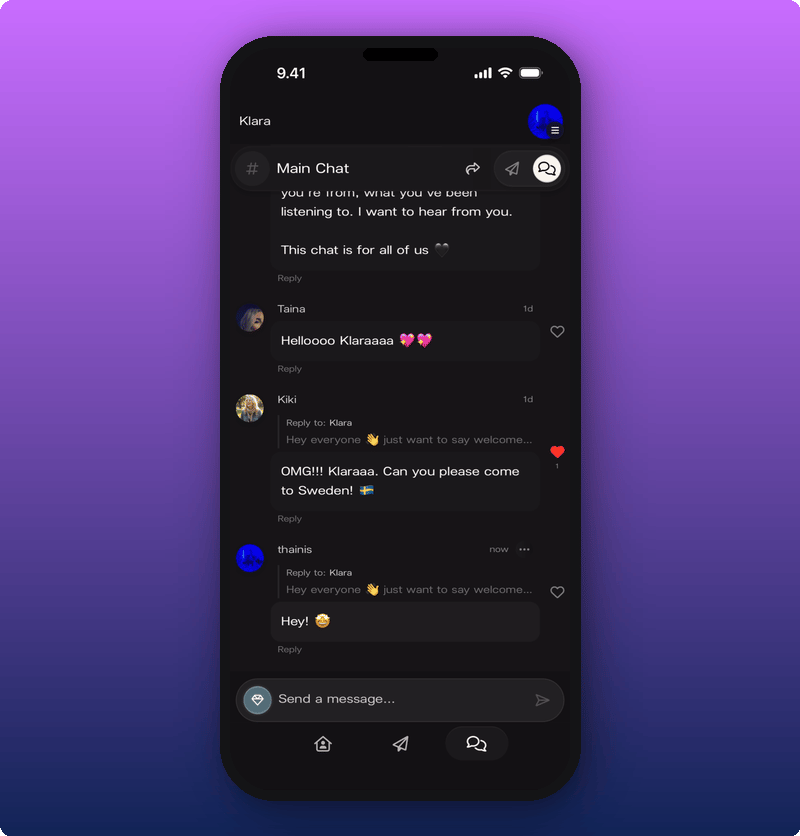
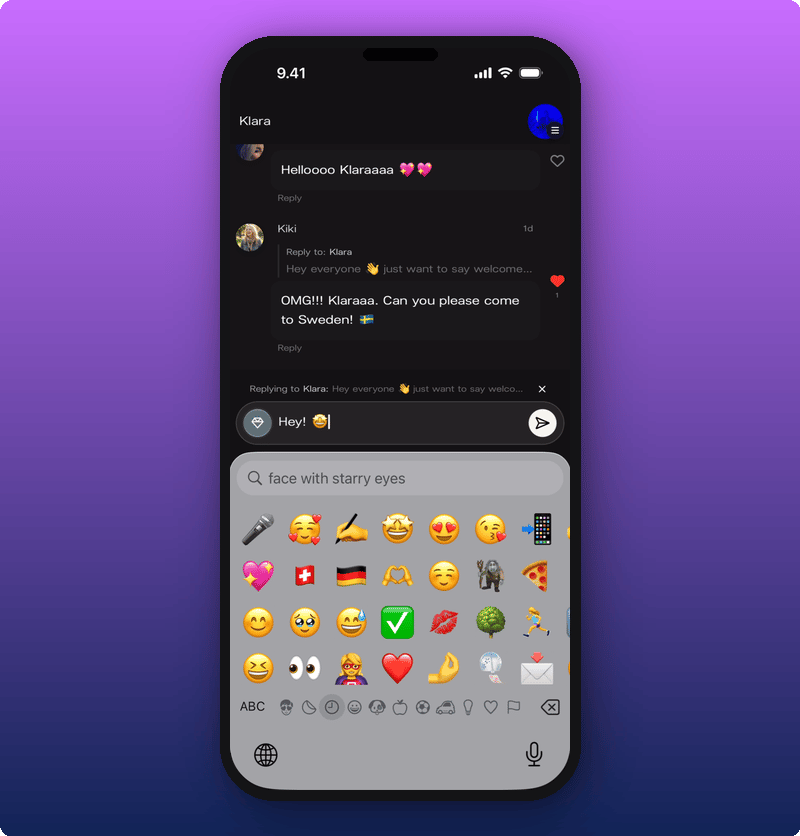
If you want to answer a specific message, tap **Reply** under it. A bar shows up above the message box reminding you who you're replying to.
Type your reply and send. Your reply appears in a thread under the original message, so the conversation doesn't get tangled with everything else.
## Deleting your own message
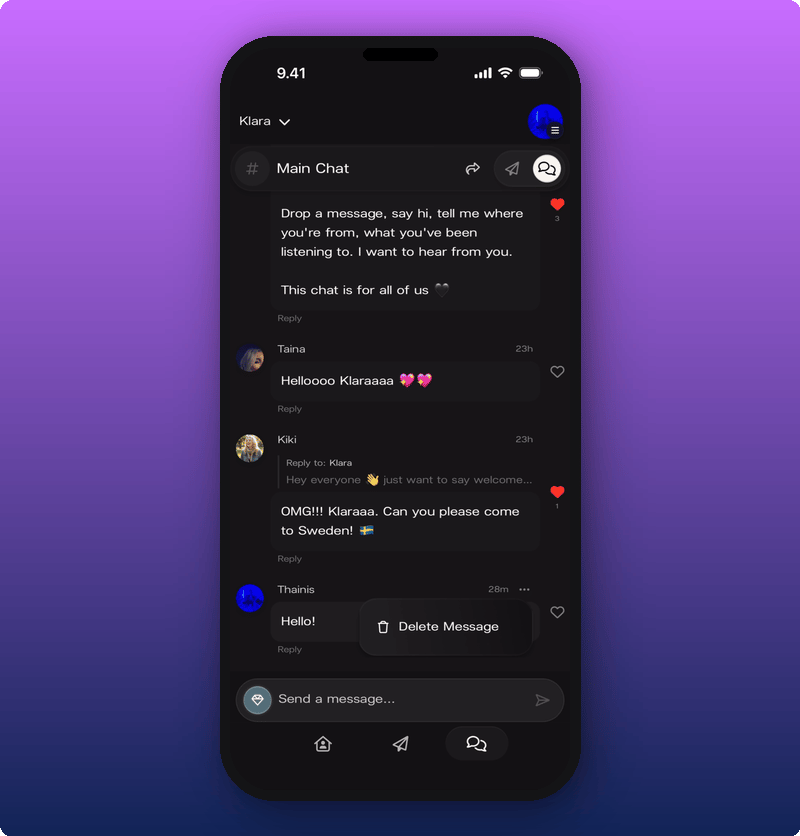
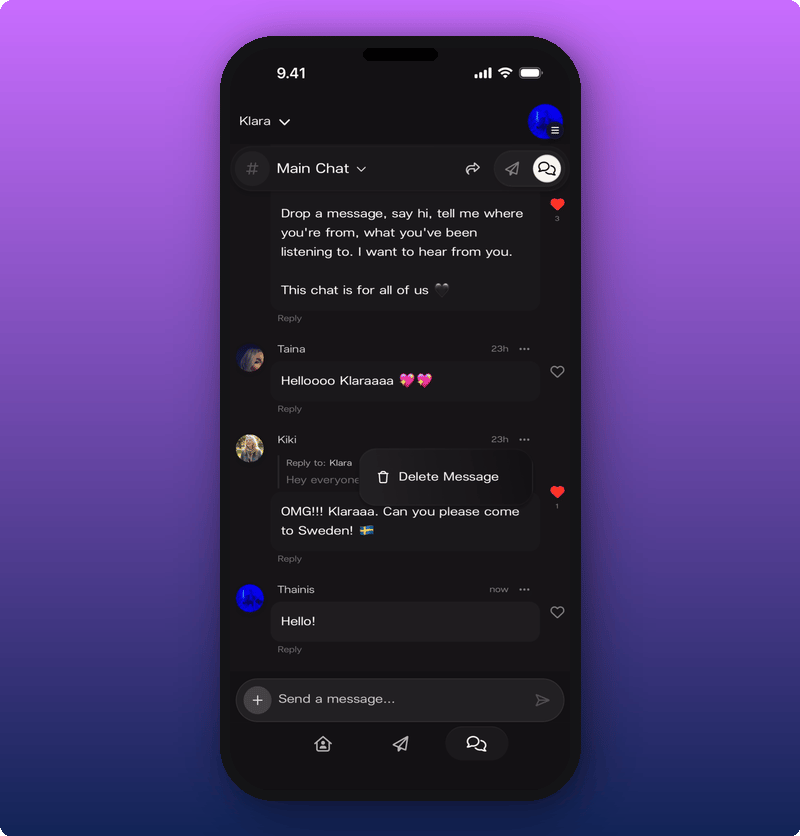
Tap the three-dot menu on your own message. **Delete Message** appears.
Tap it. The message is gone.
## Tapping someone's name
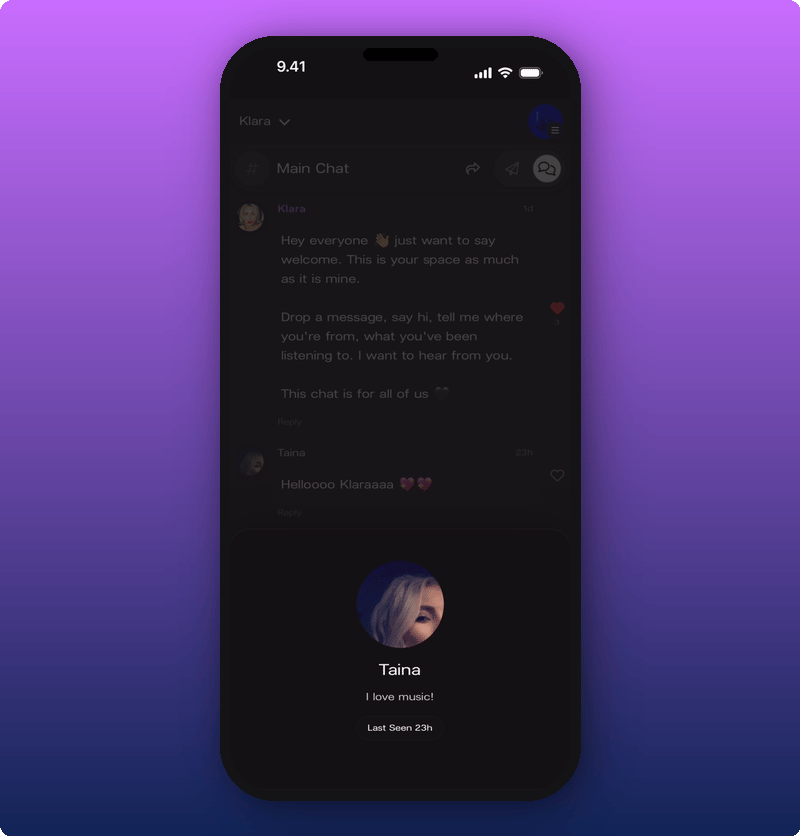
Tap any name or photo in chat to see their profile card. It pops up from the bottom and shows their name, their bio (if they've added one), their **Member** badge, and when they were last seen.
## If you're a moderator
Some artists promote their most active members to moderator. Moderators have a small shield badge next to their name and can help keep chat tidy.
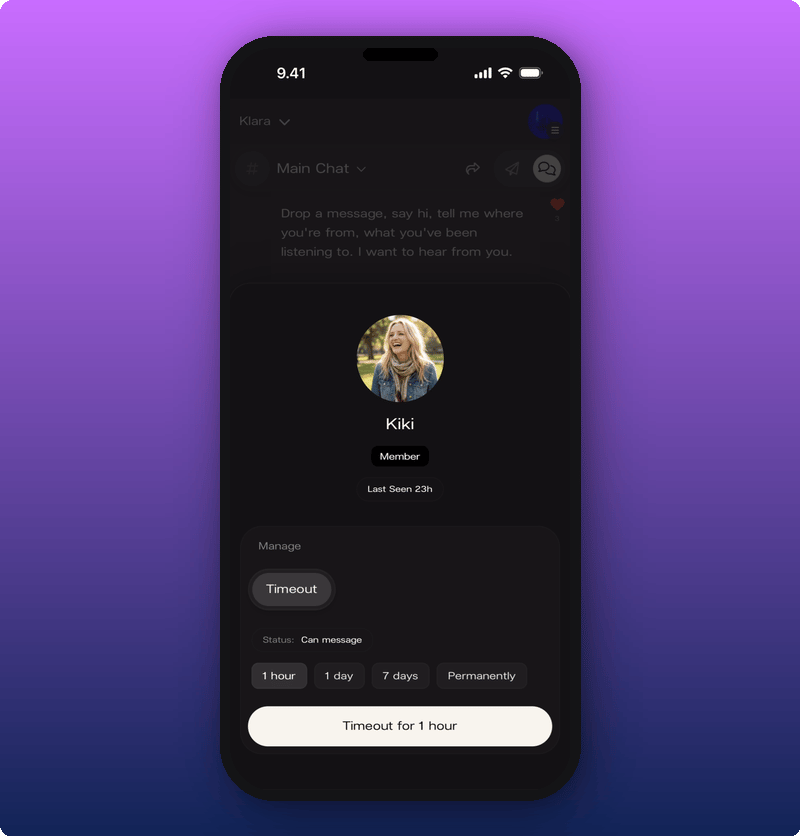
When a moderator opens another member's profile card, they see a **Manage** section underneath. From there they can put a member in timeout for an hour, a day, 7 days, or permanently.
Moderators can also remove messages they think shouldn't be there.
## Subscribers Chat
Every artist's space has a second chat room: Subscribers Chat. It's only for paying subscribers and it's quieter, closer, and more personal. Tap the chat name at the top of the screen to switch between Main Chat and Subscribers Chat.
If you're not a subscriber yet, tapping into Subscribers Chat opens the subscribe screen instead.
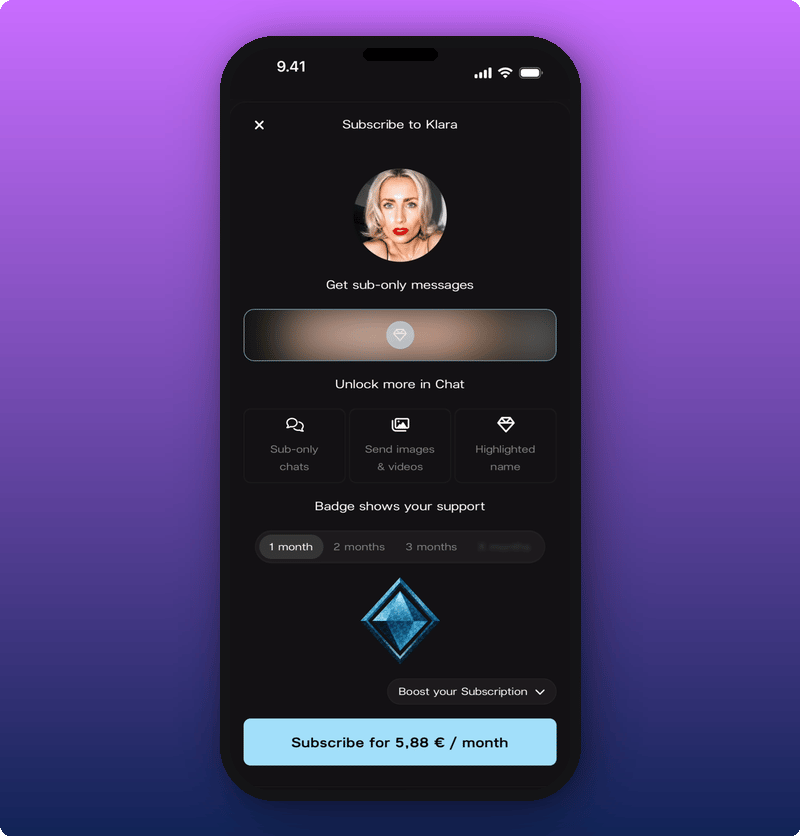
It shows what you'll get, the price, and a Subscribe button at the bottom. For the full breakdown, see [Subscribing to an artist](/for-fans/subscribing/subscribing-to-an-artist).
## Sharing the chat
Tap the share icon at the top of chat to send the link to a friend.
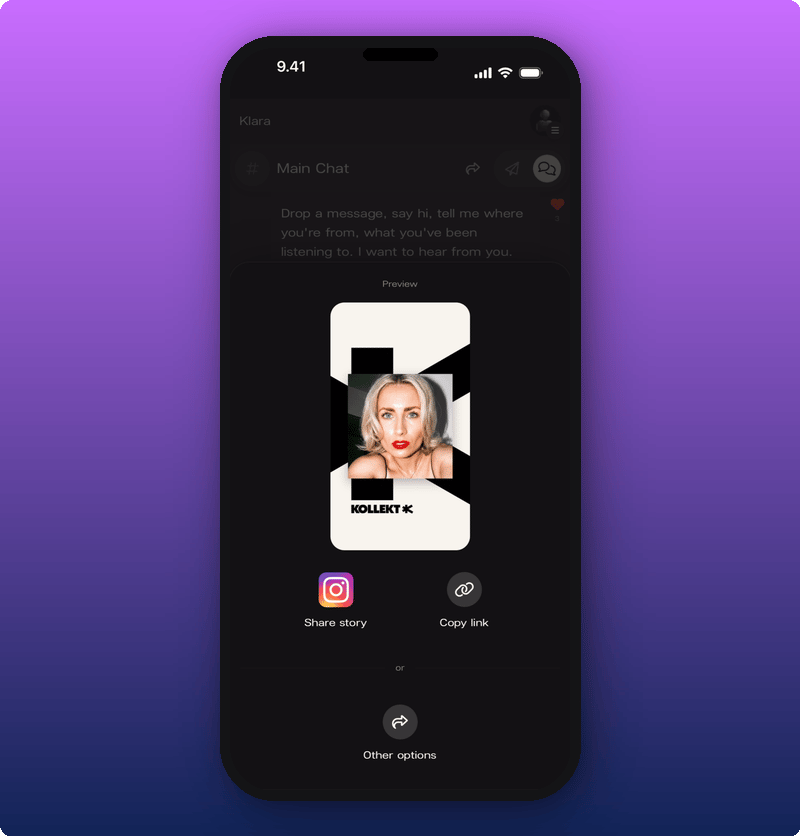
You can post the Kollekt card straight to your Instagram Story, copy the link, or pick another app from your phone's share menu. The link opens the chat for whoever taps it. They'll need to join the artist before they can post.
## Related
* [Your artist's Direct Line](/for-fans/inside-kollekt/browsing-direct-line). Read the artist's posts.
* [Get to know Kollekt](/for-fans/inside-kollekt/exploring-the-artist-page). Find your way around the rest of the artist's space.
* [Your user profile](/for-fans/your-account/managing-your-profile). Set the name, photo, and bio that show in chat.
* [Subscribing to an artist](/for-fans/subscribing/subscribing-to-an-artist). Get into the Subscribers Chat and unlock images.
 ## Sending a message
Tap the message box. Your keyboard opens. Type and tap the send arrow.
## Sending a message
Tap the message box. Your keyboard opens. Type and tap the send arrow.
 ### Sending photos and videos (subscribers)
Sending photos and videos in chat is a subscriber perk. If you're a subscriber, tap the **+** to the left of the message box to attach something.
### Sending photos and videos (subscribers)
Sending photos and videos in chat is a subscriber perk. If you're a subscriber, tap the **+** to the left of the message box to attach something.
 ## Reacting with a heart
Tap the heart next to any message. The heart fills in red and the count goes up.
## Reacting with a heart
Tap the heart next to any message. The heart fills in red and the count goes up.
 Tap it again to take your heart back.
## Replying in a thread
If you want to answer a specific message, tap **Reply** under it. A bar shows up above the message box reminding you who you're replying to.
Tap it again to take your heart back.
## Replying in a thread
If you want to answer a specific message, tap **Reply** under it. A bar shows up above the message box reminding you who you're replying to.
 Type your reply and send. Your reply appears in a thread under the original message, so the conversation doesn't get tangled with everything else.
## Deleting your own message
Tap the three-dot menu on your own message. **Delete Message** appears.
Type your reply and send. Your reply appears in a thread under the original message, so the conversation doesn't get tangled with everything else.
## Deleting your own message
Tap the three-dot menu on your own message. **Delete Message** appears.
 Tap it. The message is gone.
## Tapping someone's name
Tap any name or photo in chat to see their profile card. It pops up from the bottom and shows their name, their bio (if they've added one), their **Member** badge, and when they were last seen.
Tap it. The message is gone.
## Tapping someone's name
Tap any name or photo in chat to see their profile card. It pops up from the bottom and shows their name, their bio (if they've added one), their **Member** badge, and when they were last seen.
 ## If you're a moderator
Some artists promote their most active members to moderator. Moderators have a small shield badge next to their name and can help keep chat tidy.
When a moderator opens another member's profile card, they see a **Manage** section underneath. From there they can put a member in timeout for an hour, a day, 7 days, or permanently.
## If you're a moderator
Some artists promote their most active members to moderator. Moderators have a small shield badge next to their name and can help keep chat tidy.
When a moderator opens another member's profile card, they see a **Manage** section underneath. From there they can put a member in timeout for an hour, a day, 7 days, or permanently.
 Moderators can also remove messages they think shouldn't be there.
 ## Subscribers Chat
Every artist's space has a second chat room: Subscribers Chat. It's only for paying subscribers and it's quieter, closer, and more personal. Tap the chat name at the top of the screen to switch between Main Chat and Subscribers Chat.
If you're not a subscriber yet, tapping into Subscribers Chat opens the subscribe screen instead.
## Subscribers Chat
Every artist's space has a second chat room: Subscribers Chat. It's only for paying subscribers and it's quieter, closer, and more personal. Tap the chat name at the top of the screen to switch between Main Chat and Subscribers Chat.
If you're not a subscriber yet, tapping into Subscribers Chat opens the subscribe screen instead.
 It shows what you'll get, the price, and a Subscribe button at the bottom. For the full breakdown, see [Subscribing to an artist](/for-fans/subscribing/subscribing-to-an-artist).
## Sharing the chat
Tap the share icon at the top of chat to send the link to a friend.
It shows what you'll get, the price, and a Subscribe button at the bottom. For the full breakdown, see [Subscribing to an artist](/for-fans/subscribing/subscribing-to-an-artist).
## Sharing the chat
Tap the share icon at the top of chat to send the link to a friend.
 You can post the Kollekt card straight to your Instagram Story, copy the link, or pick another app from your phone's share menu. The link opens the chat for whoever taps it. They'll need to join the artist before they can post.
## Related
* [Your artist's Direct Line](/for-fans/inside-kollekt/browsing-direct-line). Read the artist's posts.
* [Get to know Kollekt](/for-fans/inside-kollekt/exploring-the-artist-page). Find your way around the rest of the artist's space.
* [Your user profile](/for-fans/your-account/managing-your-profile). Set the name, photo, and bio that show in chat.
* [Subscribing to an artist](/for-fans/subscribing/subscribing-to-an-artist). Get into the Subscribers Chat and unlock images.
You can post the Kollekt card straight to your Instagram Story, copy the link, or pick another app from your phone's share menu. The link opens the chat for whoever taps it. They'll need to join the artist before they can post.
## Related
* [Your artist's Direct Line](/for-fans/inside-kollekt/browsing-direct-line). Read the artist's posts.
* [Get to know Kollekt](/for-fans/inside-kollekt/exploring-the-artist-page). Find your way around the rest of the artist's space.
* [Your user profile](/for-fans/your-account/managing-your-profile). Set the name, photo, and bio that show in chat.
* [Subscribing to an artist](/for-fans/subscribing/subscribing-to-an-artist). Get into the Subscribers Chat and unlock images.