> ## Documentation Index
> Fetch the complete documentation index at: https://docs.kollekt.io/llms.txt
> Use this file to discover all available pages before exploring further.
# Your user profile
> Set your photo, your name, and your bio. Manage your account or change your details.
## Open your profile
Tap the gear icon next to your profile on the fan home screen. The Edit profile page opens.
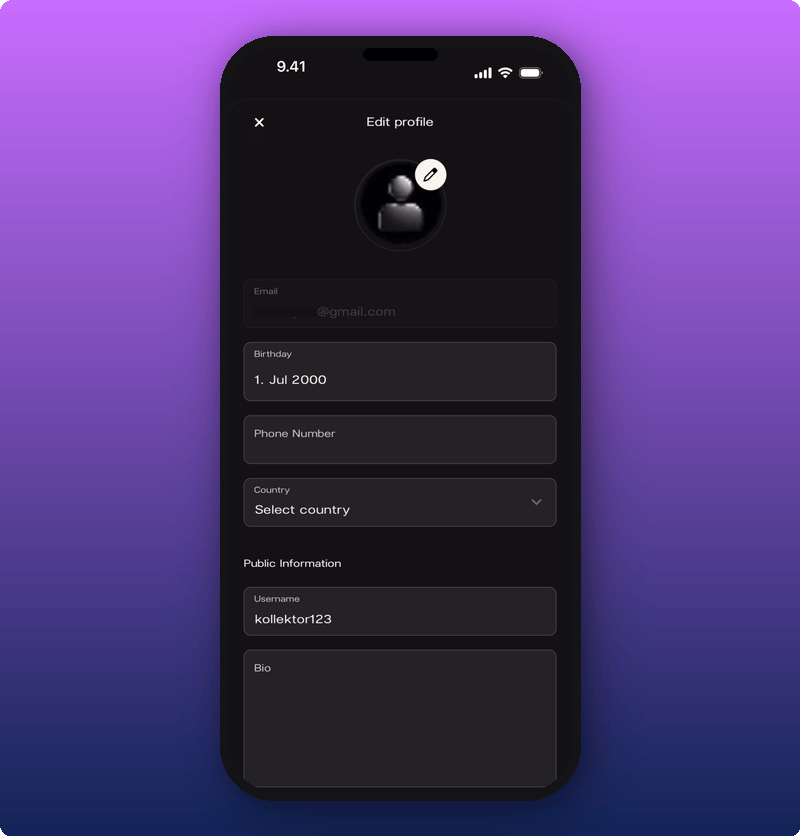
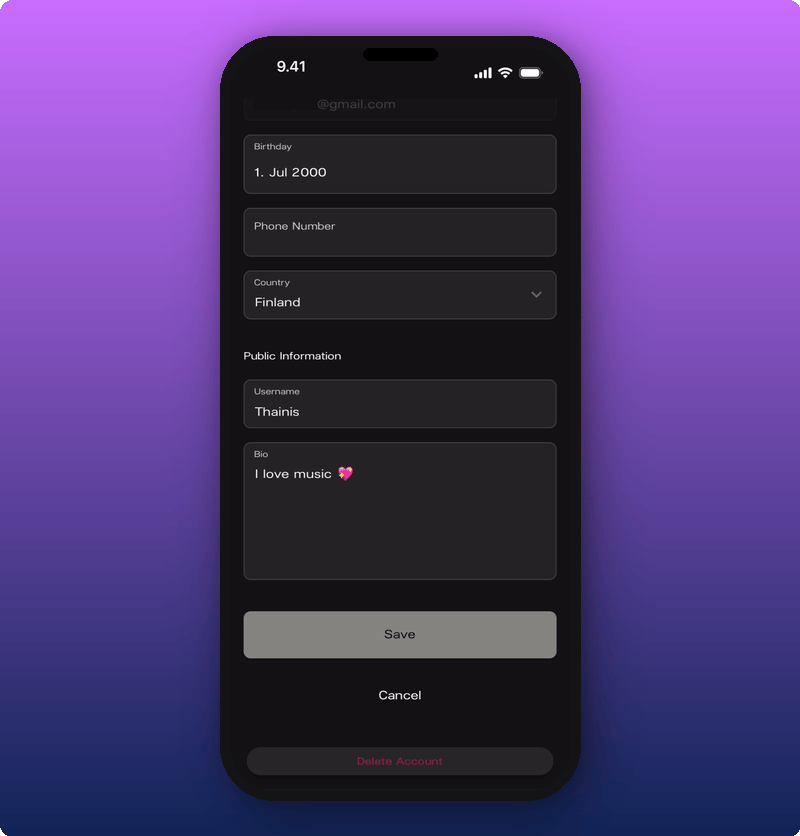
The page has two parts:
* **Private.** Email (you can't change this here), Birthday, Phone Number, Country.
* **Public Information.** Username and Bio. These are what other fans and artists see.
## Change your photo
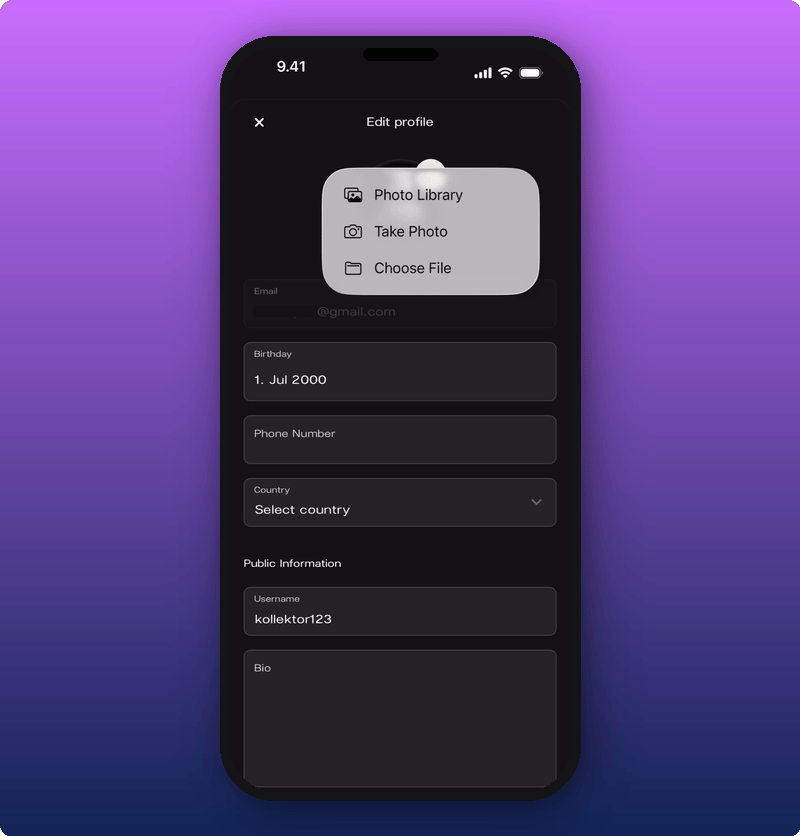
Tap the pencil icon on the photo. A small menu pops up.
You have three options: pick a photo from your library, take a new one with the camera, or choose a file. Your new photo shows up straight away.
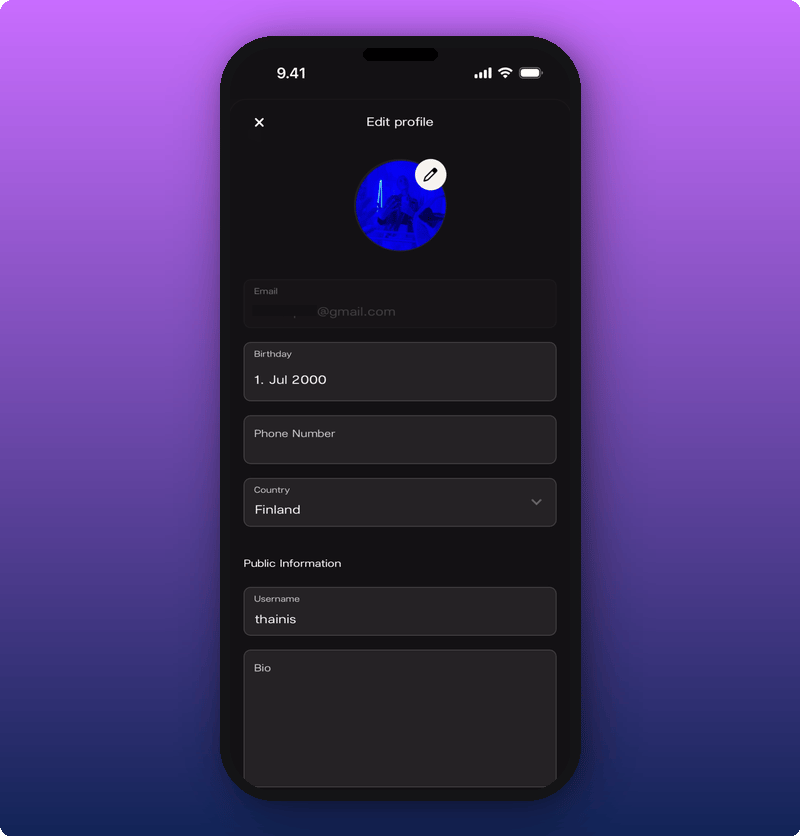
## Change your username
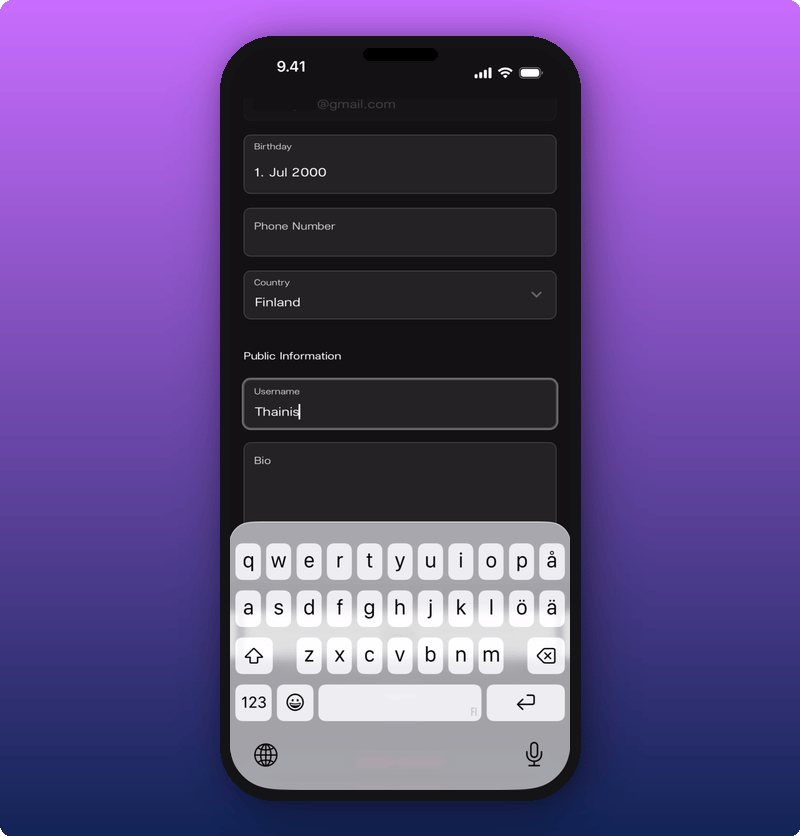
Tap the **Username** field under Public Information. Your keyboard opens.
Type the name you want. This is what fans see in chat.
## Add a bio
Tap the **Bio** field. Type something short about yourself, the music you love, or your favourite tour memory.
Your bio shows on your profile card, the one that pops up when another fan taps your name in chat.
## Add your phone number
Tap the **Phone Number** field. The number keyboard opens.
Type your number including the country code.
## Set your birthday
Tap the **Birthday** field. A calendar opens.
Pick the month, then the day. Tap the blue check to save.
## Pick your country
Tap the **Country** field. A list of countries opens.
Scroll or tap to pick yours.
## Save your changes
Scroll to the bottom of the form. Tap **Save**.
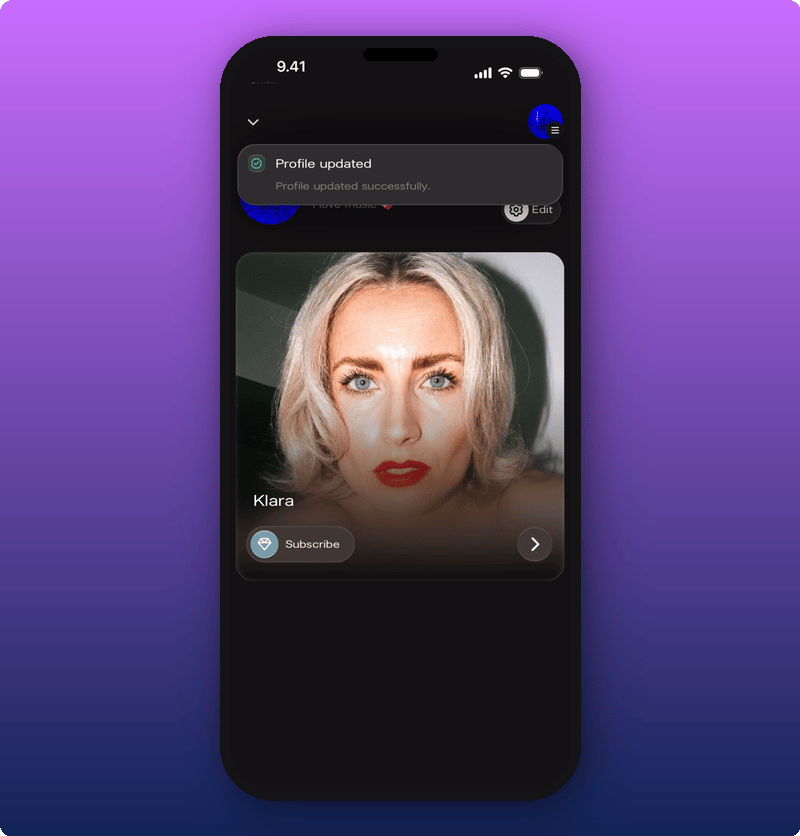
A green message appears on your fan home confirming the save.
If you change your mind, tap **Cancel** instead. Nothing gets saved.
## Want to delete your account?
If you want to leave Kollekt for good, you can do that from this same page. See [Delete your account](/for-fans/your-account/delete-your-account).
## Related
* [Joining an artist's space](/for-fans/getting-in/joining-an-artist). How to set up your account in the first place.
* [Get to know Kollekt](/for-fans/inside-kollekt/exploring-the-artist-page). Where the gear icon and your profile preview live.
* [Joining the chat](/for-fans/inside-kollekt/participating-in-chat). Where your name, photo, and bio show up to other fans.
* [Delete your account](/for-fans/your-account/delete-your-account). Leave Kollekt for good.
 The page has two parts:
* **Private.** Email (you can't change this here), Birthday, Phone Number, Country.
* **Public Information.** Username and Bio. These are what other fans and artists see.
## Change your photo
Tap the pencil icon on the photo. A small menu pops up.
The page has two parts:
* **Private.** Email (you can't change this here), Birthday, Phone Number, Country.
* **Public Information.** Username and Bio. These are what other fans and artists see.
## Change your photo
Tap the pencil icon on the photo. A small menu pops up.
 You have three options: pick a photo from your library, take a new one with the camera, or choose a file. Your new photo shows up straight away.
 ## Change your username
Tap the **Username** field under Public Information. Your keyboard opens.
## Change your username
Tap the **Username** field under Public Information. Your keyboard opens.
 Type the name you want. This is what fans see in chat.
## Add a bio
Tap the **Bio** field. Type something short about yourself, the music you love, or your favourite tour memory.
Type the name you want. This is what fans see in chat.
## Add a bio
Tap the **Bio** field. Type something short about yourself, the music you love, or your favourite tour memory.
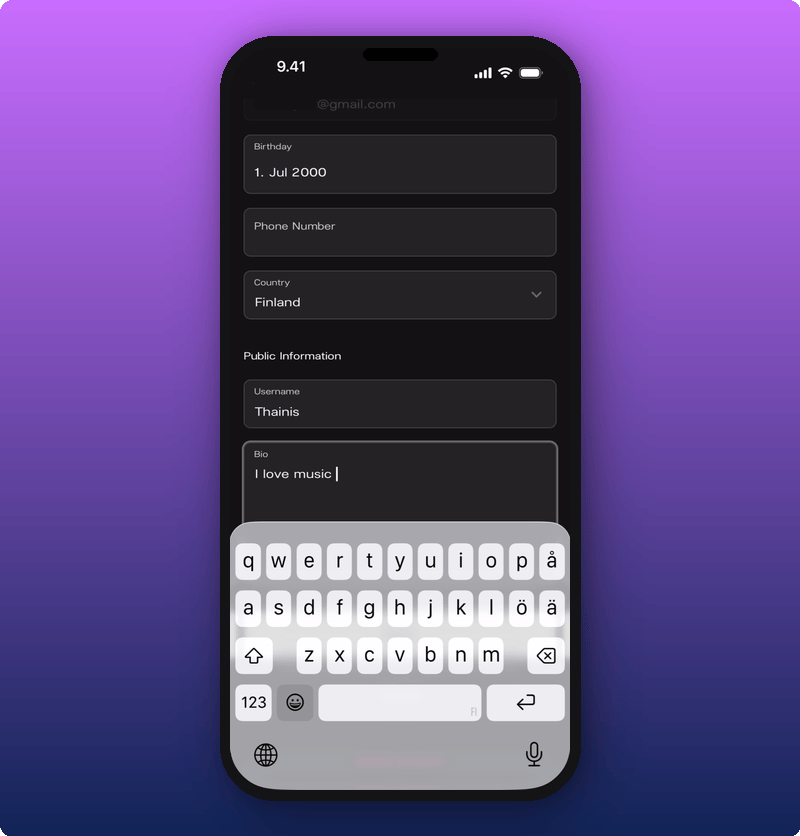 Your bio shows on your profile card, the one that pops up when another fan taps your name in chat.
## Add your phone number
Tap the **Phone Number** field. The number keyboard opens.
Your bio shows on your profile card, the one that pops up when another fan taps your name in chat.
## Add your phone number
Tap the **Phone Number** field. The number keyboard opens.
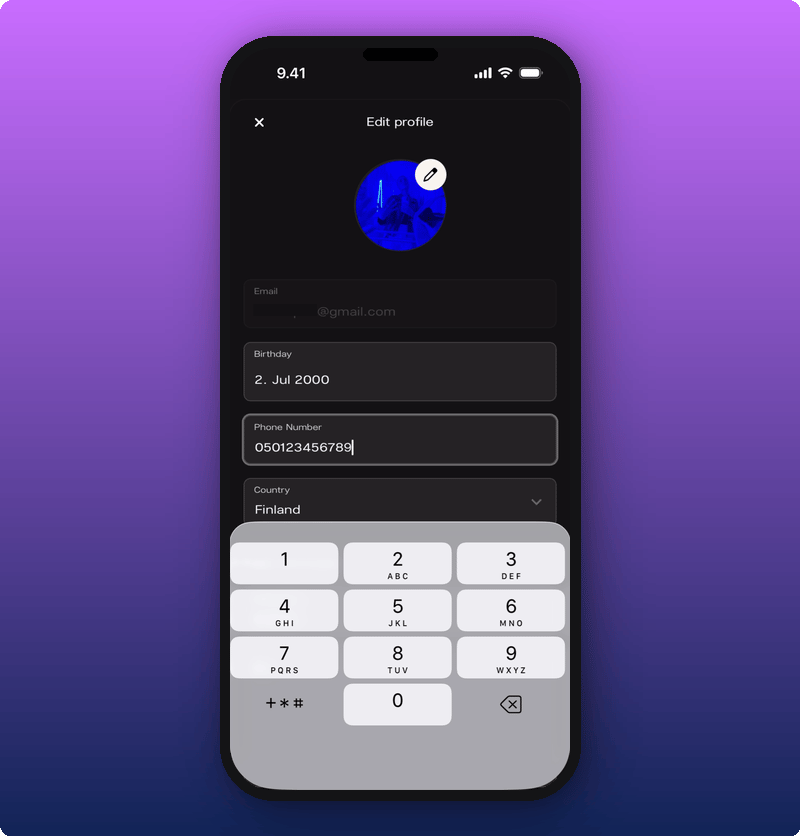 Type your number including the country code.
## Set your birthday
Tap the **Birthday** field. A calendar opens.
Type your number including the country code.
## Set your birthday
Tap the **Birthday** field. A calendar opens.
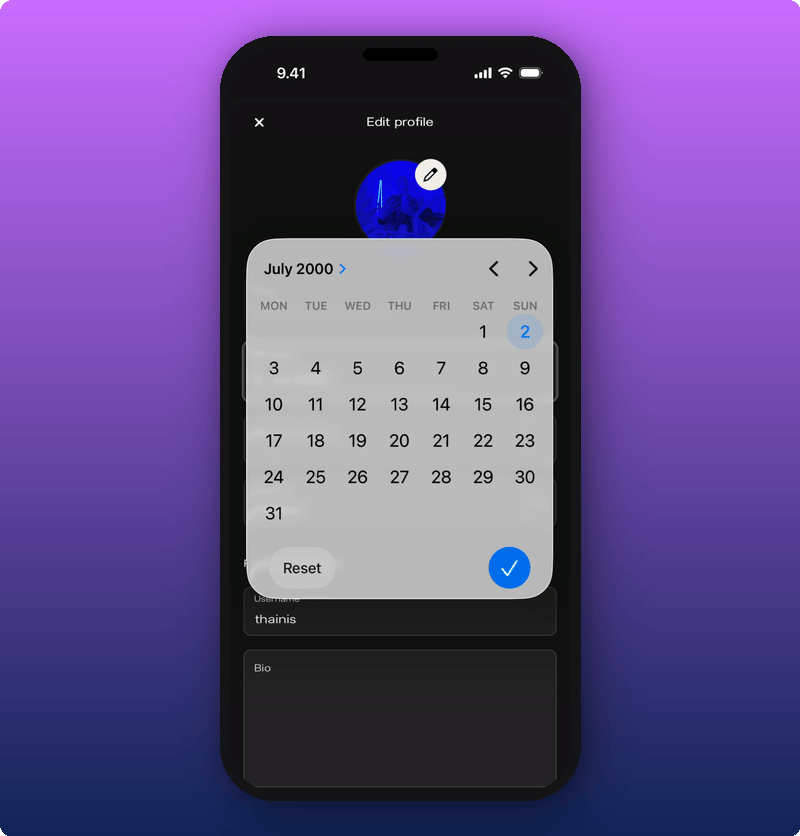 Pick the month, then the day. Tap the blue check to save.
## Pick your country
Tap the **Country** field. A list of countries opens.
Pick the month, then the day. Tap the blue check to save.
## Pick your country
Tap the **Country** field. A list of countries opens.
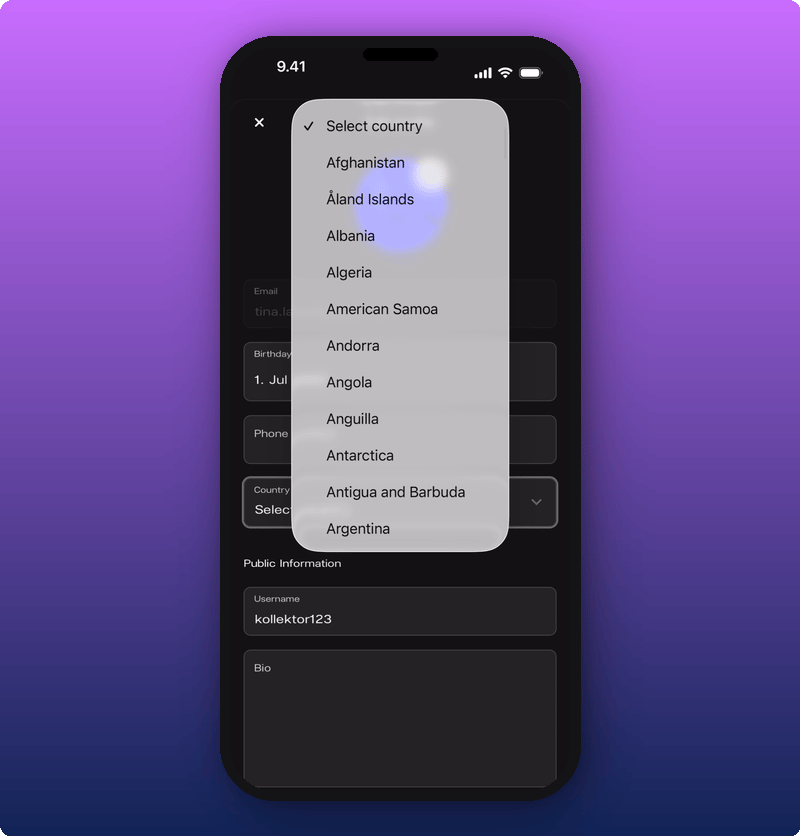 Scroll or tap to pick yours.
## Save your changes
Scroll to the bottom of the form. Tap **Save**.
Scroll or tap to pick yours.
## Save your changes
Scroll to the bottom of the form. Tap **Save**.
 A green message appears on your fan home confirming the save.
 If you change your mind, tap **Cancel** instead. Nothing gets saved.
## Want to delete your account?
If you want to leave Kollekt for good, you can do that from this same page. See [Delete your account](/for-fans/your-account/delete-your-account).
## Related
* [Joining an artist's space](/for-fans/getting-in/joining-an-artist). How to set up your account in the first place.
* [Get to know Kollekt](/for-fans/inside-kollekt/exploring-the-artist-page). Where the gear icon and your profile preview live.
* [Joining the chat](/for-fans/inside-kollekt/participating-in-chat). Where your name, photo, and bio show up to other fans.
* [Delete your account](/for-fans/your-account/delete-your-account). Leave Kollekt for good.
If you change your mind, tap **Cancel** instead. Nothing gets saved.
## Want to delete your account?
If you want to leave Kollekt for good, you can do that from this same page. See [Delete your account](/for-fans/your-account/delete-your-account).
## Related
* [Joining an artist's space](/for-fans/getting-in/joining-an-artist). How to set up your account in the first place.
* [Get to know Kollekt](/for-fans/inside-kollekt/exploring-the-artist-page). Where the gear icon and your profile preview live.
* [Joining the chat](/for-fans/inside-kollekt/participating-in-chat). Where your name, photo, and bio show up to other fans.
* [Delete your account](/for-fans/your-account/delete-your-account). Leave Kollekt for good.