

The Stats overview
Open Stats from the Settings icon in the bottom nav, then tap Stats.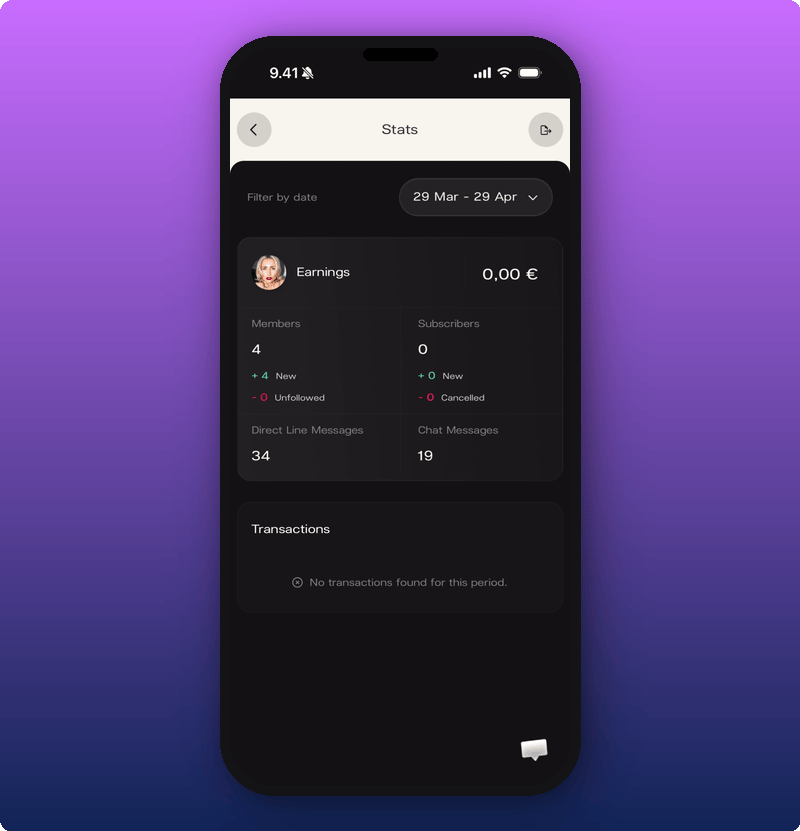
- Earnings. Total money made in the selected range.
- Members. How many fans you have right now, plus New and Unfollowed in the range.
- Subscribers. How many subscribers right now, plus New and Cancelled in the range.
- Direct Line Messages. How many you posted in the range.
- Chat Messages. How many were posted in the range.
- Transactions. Each payment from a fan in the range.
Pick a date range
Everything on Stats is filtered by date range. The pill near the top controls what the whole screen shows. Tap the date range pill to open the calendar.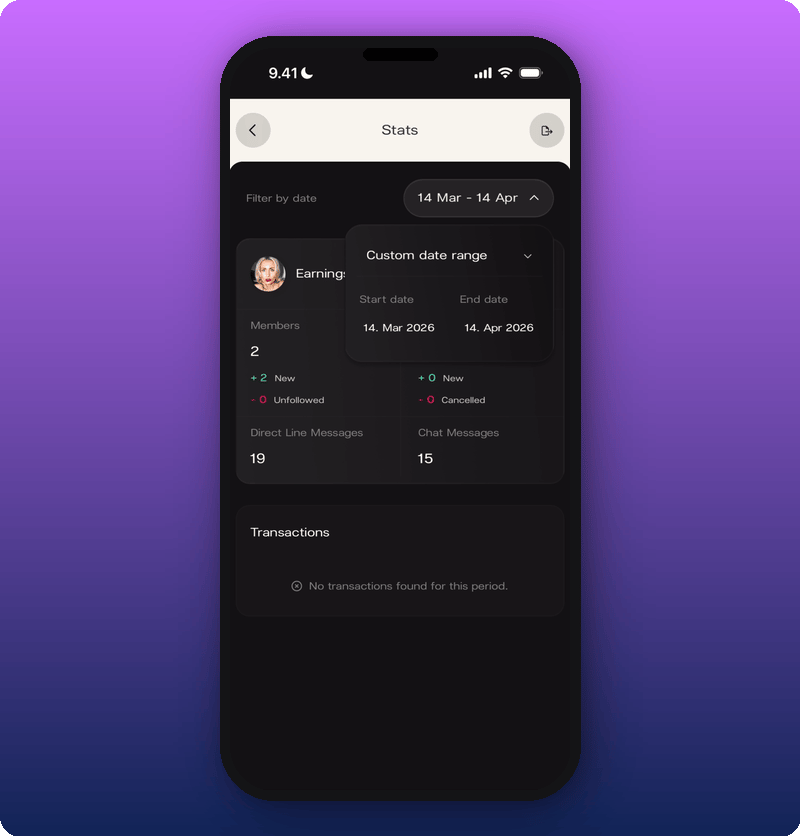
What to check and when
- Weekly. Glance at new members and new subscribers. Are you growing?
- After a release or big post. Change the date range to the post day and the two days after. Direct Line Messages up, members up, subscribers up: you just learned what works.
- Monthly. Earnings total and transaction count. Match what you expected? If not, something’s off and worth flagging.