

What subscribers get
This is what a fan sees when they’re about to subscribe. The perks are built into the platform, so you don’t have to keep making new ones.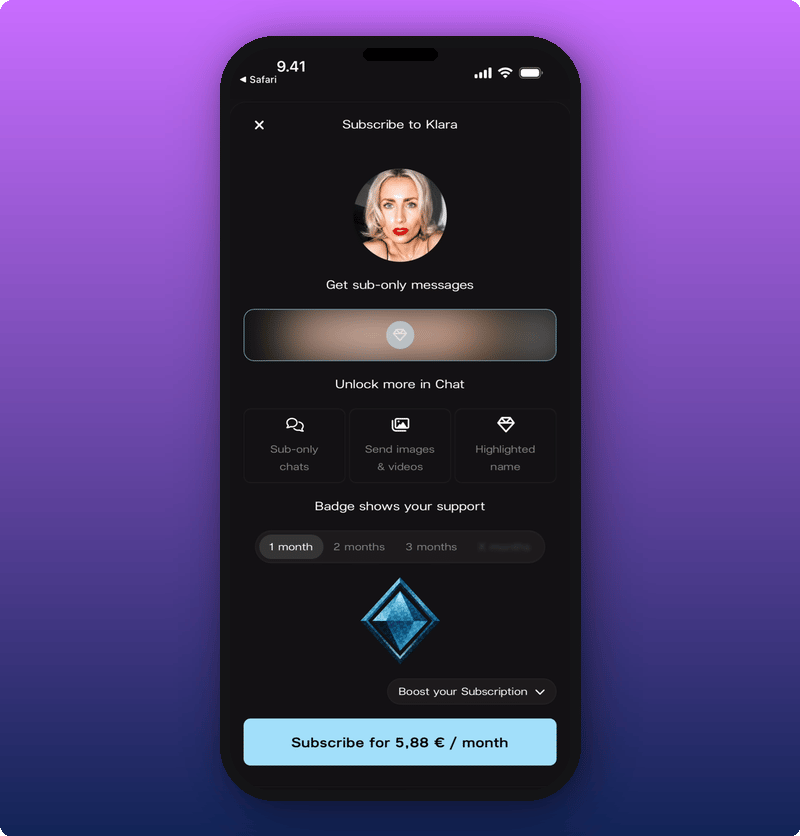
- Subscriber-only Direct Line posts. Lock a post and only paying fans can open it. See Post subscriber-only content.
- Subscribers Chat room. A separate room just for subscribers.
- Send images and videos in Chat. Subscribers can share media. Other members can’t.
- Highlighted names in Chat. Subscribers stand out in the room.
- Subscriber badge. A small badge next to their name.
Pricing and your share
Subscriptions start at €4.99 a month. From there, it’s pay-what-you-want. Fans can pay more if they want to support you further. Everyone gets the same perks no matter what they pay. You keep 80% of subscription revenue after VAT and Stripe fees. Kollekt takes 20%.A note on iOS pricing
Apple charges a fee on in-app purchases in the App Store. Kollekt passes that fee through to fans who subscribe inside the iOS app, so the starting price looks different depending on where a fan signs up:
Your earnings are the same either way. The extra on iOS covers Apple’s fee, not your share. Worth mentioning to your fans: if they sign up through the web or Android, they pay less for the same perks.
How the money reaches you
- A fan subscribes. They pay monthly at the amount they chose.
- Earnings add up in your space. The money is held for you until you connect your payouts.
- Split with your team if you want. If you’ve added team members, each takes their share. See Add team members and split revenue.
- Connect your payout account when you’re ready. You can do this any time. Until you connect, the money is held in your space. Once you connect, all of it comes through to your bank account on Stripe’s normal schedule, including everything earned before you set it up. See Connect your payout account.
When to lean into subscriptions
Not on day one. Wait until your Chat is active on its own (fans talking to each other without you starting every thread) and your Direct Line has a regular rhythm. At that point, subscriber perks feel natural, not a sales pitch. When you’re ready to push:- Post subscriber-only content regularly. See Post subscriber-only content.
- Show up in the Subscribers Chat room yourself.