

What you get when you subscribe
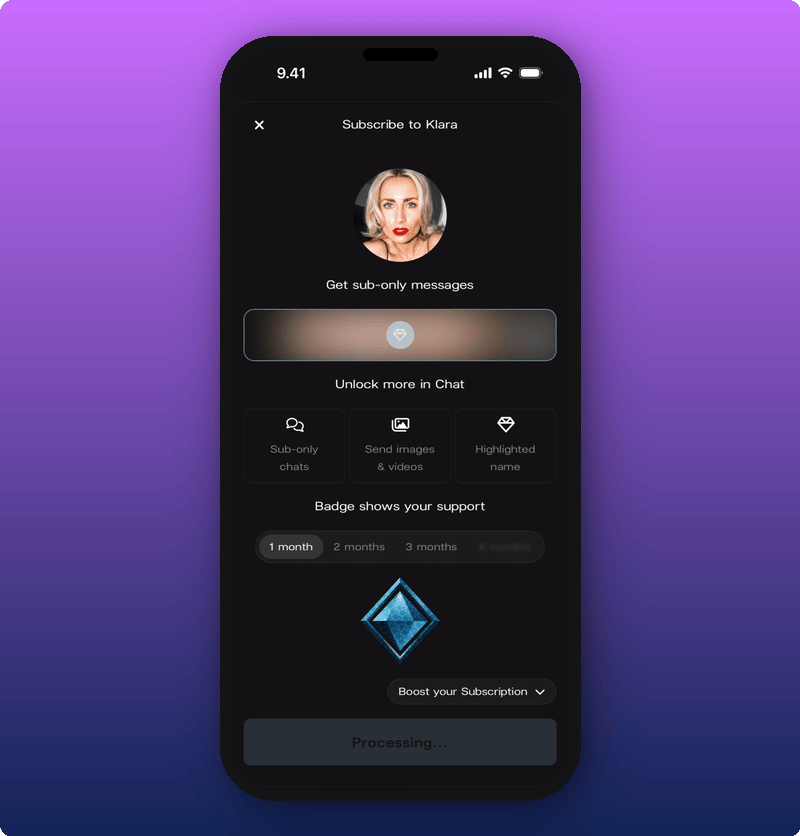
Most of an artist’s Kollekt space is free. When you subscribe, four things change for you:- Locked Direct Line posts open up. Anything the artist sent as subscriber-only becomes readable. You see the full text, the photos, the videos, the voice notes.
- You get into the Subscribers Chat. Every artist’s chat has a main room and a subscribers room. The subscribers room is quieter, closer, and only for people who pay.
- You can send images and videos in chat. Free members can only send text. Subscribers can drop a photo from the show, a video reaction, anything.
- Your name stands out and your badge shows up. Your name shows in a different color in chat, and your subscriber badge appears next to it.
How much it costs
Subscriptions are pay-what-you-want. The starting price is €4.99/month. You can pay more if you want to support the artist more, but everyone gets the same perks no matter what they pay. If you subscribe inside the iPhone or iPad app, the starting price is €5.88/month instead. That’s because Apple takes a fee on App Store purchases. The artist’s share is the same either way. If you want to keep the price lower, subscribe from the artist’s page in your phone browser, or on Android.How to subscribe
Two ways to open the subscribe screen:- Tap a locked post on the Direct Line. Any post the artist sent as subscriber-only is blurred for you and has a lock icon. Tap it.
- Tap something in chat that’s locked. Try sending an image, or try opening the Subscribers Chat. The same screen comes up.
Pick how long you want to subscribe for
The default is 1 month. Your subscriber badge says you’ve supported the artist for one month.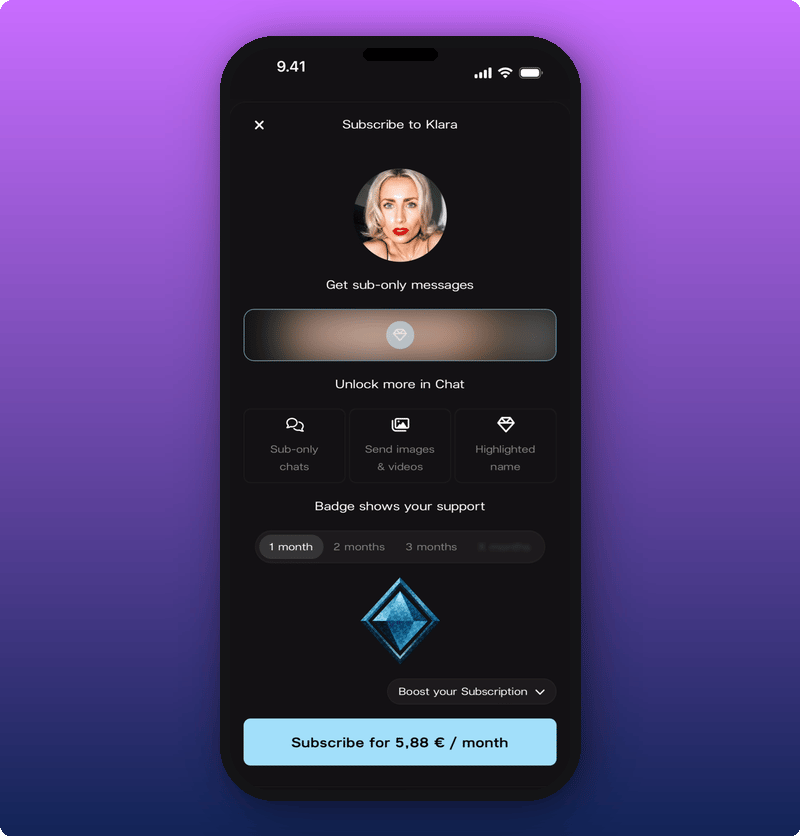
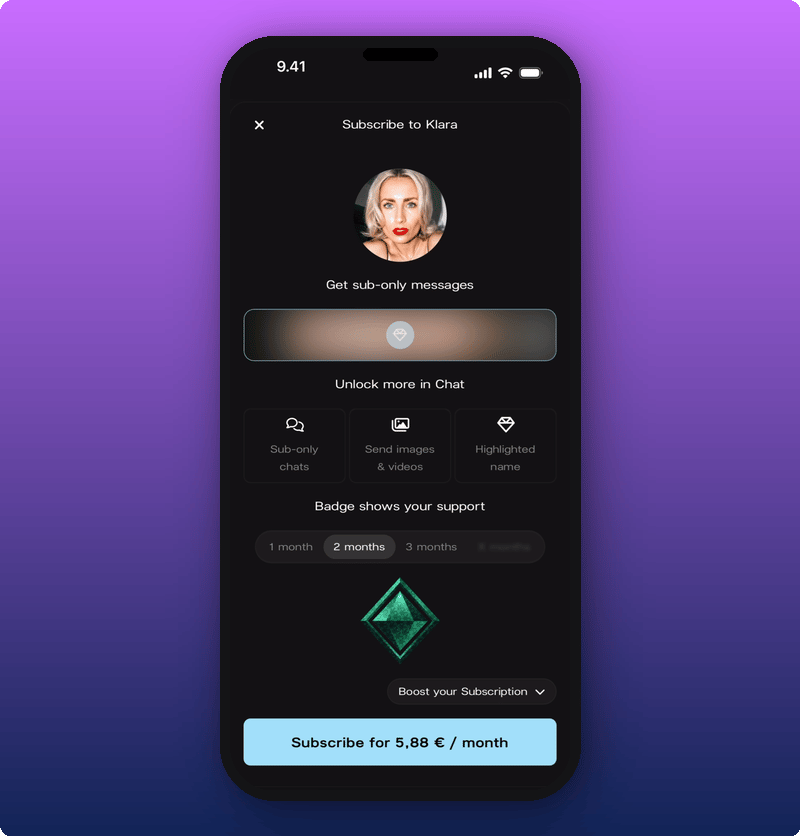
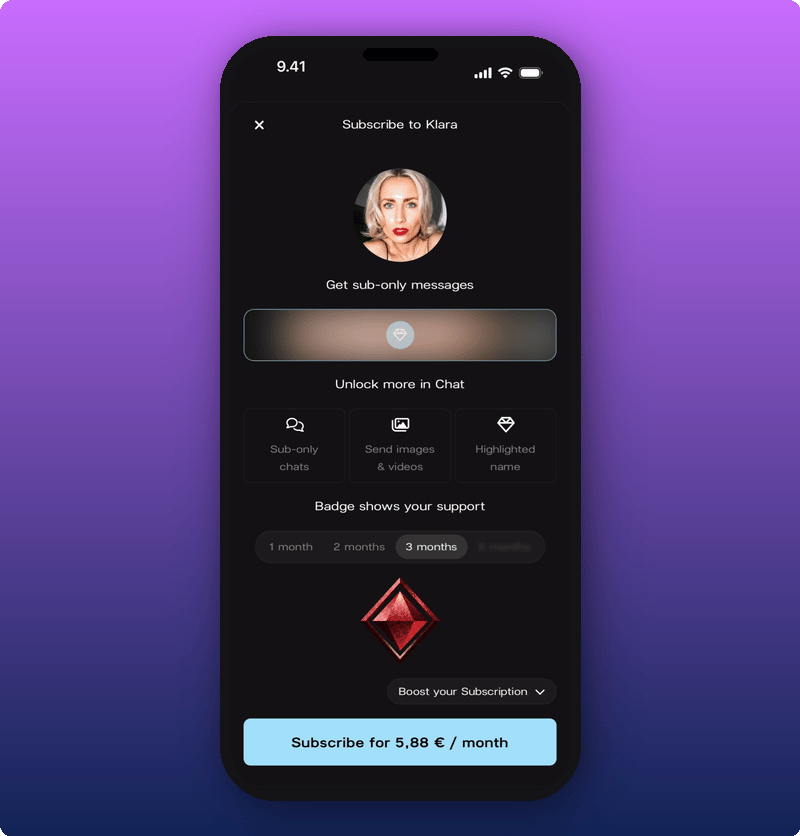
Pay more if you want
If you want to support the artist beyond the starting price, tap Boost your Subscription. A dropdown opens with higher amounts.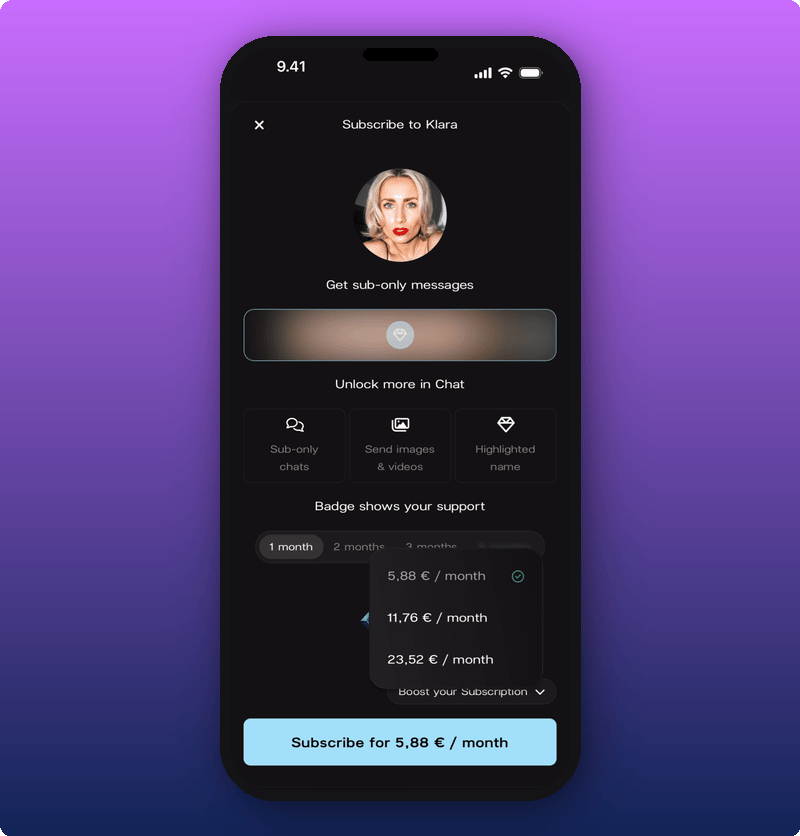
Confirm and pay
Tap the Subscribe button at the bottom. The next screen depends on your phone. On iPhone or iPad, Apple Pay opens to confirm the payment.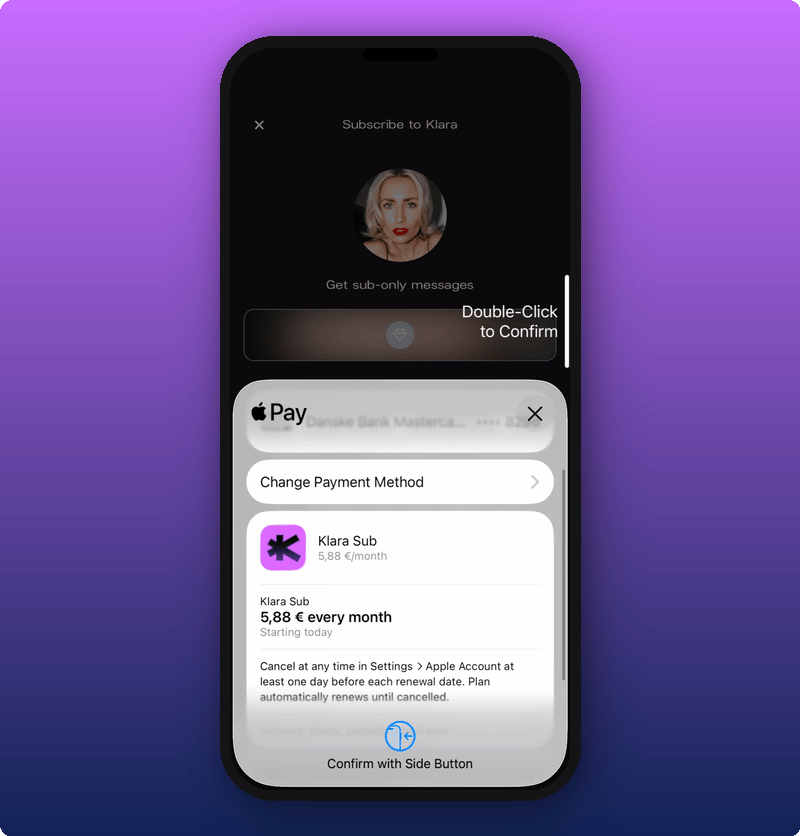
After you subscribe
Want to change something later, or stop your subscription? See Manage your subscription.Related
- Your artist’s Direct Line. Where the locked posts live.
- Joining the chat. Where the badge and the Subscribers Chat live.
- Manage your subscription. View, change, or cancel.
- Your user profile. Where your active subscriptions show.