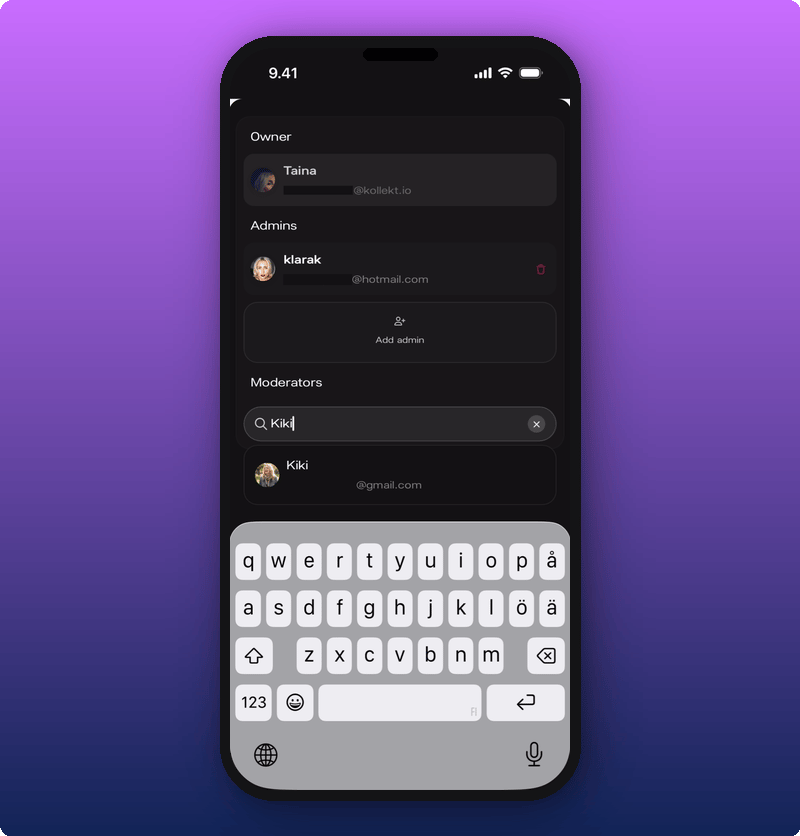
Three main roles in your team
Open Roles from the Settings gear in the bottom nav. Three sections stack one under the other:- Owner. The artist who claimed the page. Can do everything, including Payments and revenue splits.
- Admins. Can open Stats and Roles. Can’t change Payments or revenue splits. Empty until you add someone.
- Moderators. Can moderate Chat: timeout members, make them moderators, remove messages. Empty until you add someone. See Moderate your chat.
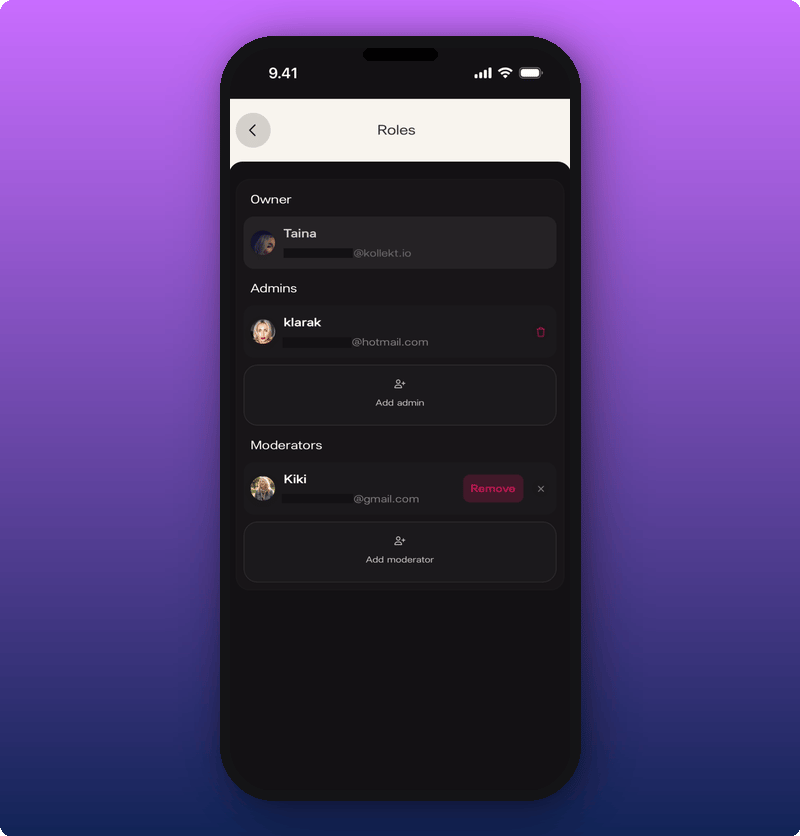
Add an admin or a moderator
- Tap Add admin or Add moderator.
- Type a name or username in the search field.
- Tap a result to add them.