

Your earnings accrue from the first subscription, whether or not your payout account is connected. Connect your bank and identity details whenever you’re ready to withdraw — no rush at signup.
Where to start
Open Edit your user profile (tap the profile icon in the bottom-right of the nav bar, then the gear + Edit button). Scroll to the bottom of the edit form. You’ll see a Set up payouts section with a cream-colored Set up button.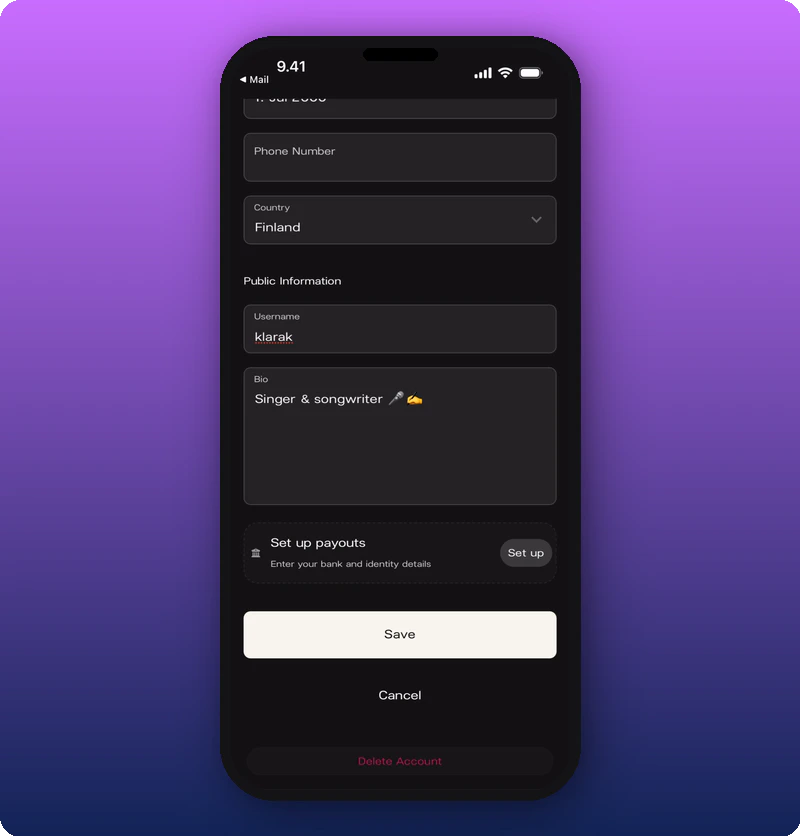
Bank details and identity
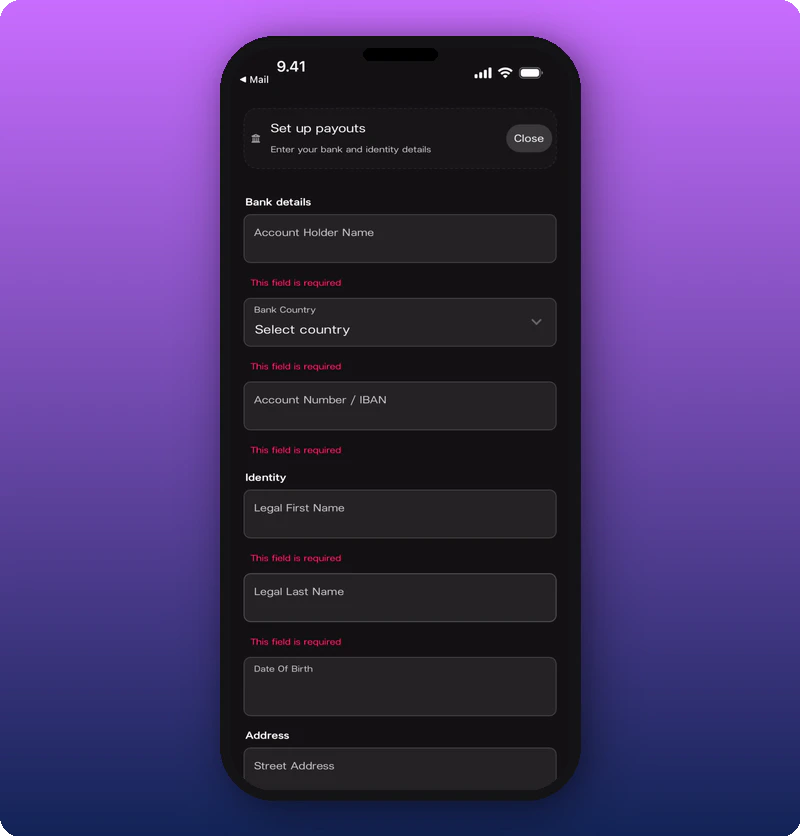
- Bank details — Account Holder Name, Bank Country, Account Number / IBAN.
- Identity — Legal First Name, Legal Last Name, Date Of Birth.
- Address (starts here, continues on next section) — Street Address.
Address and tax info
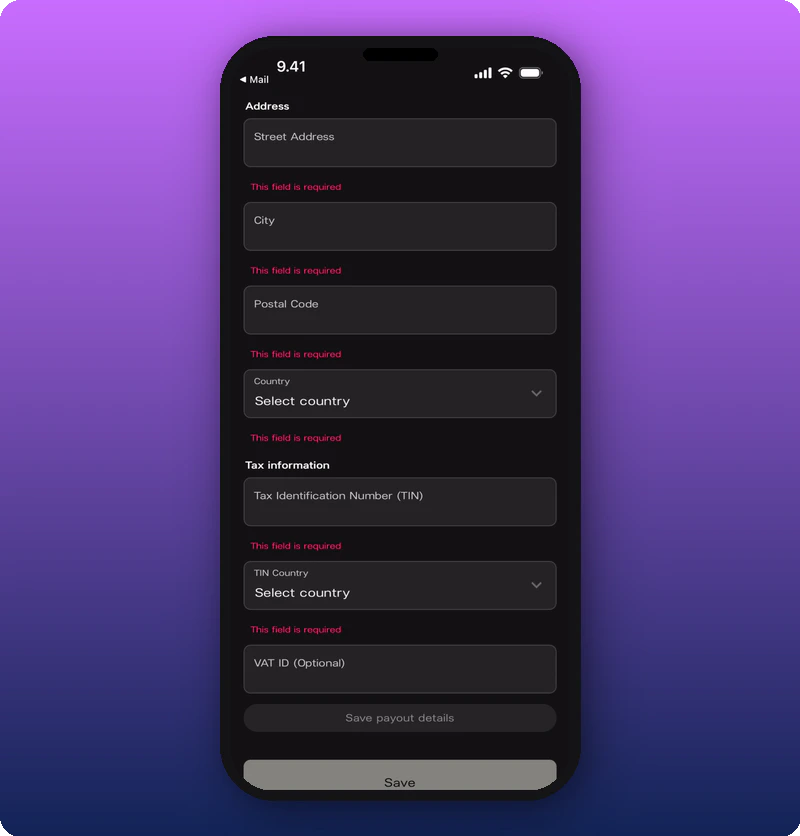
- Address — Street Address, City, Postal Code, Country.
- Tax information — Tax Identification Number (TIN), TIN Country, VAT ID (optional).
What happens after
Once saved, your payout account is connected. Earnings held before connection are released to your account according to Stripe’s normal payout schedule.Known limitations
- The success / connected state of the form is not yet documented.
- Stripe payout schedule specifics depend on country.