

Open a member profile card
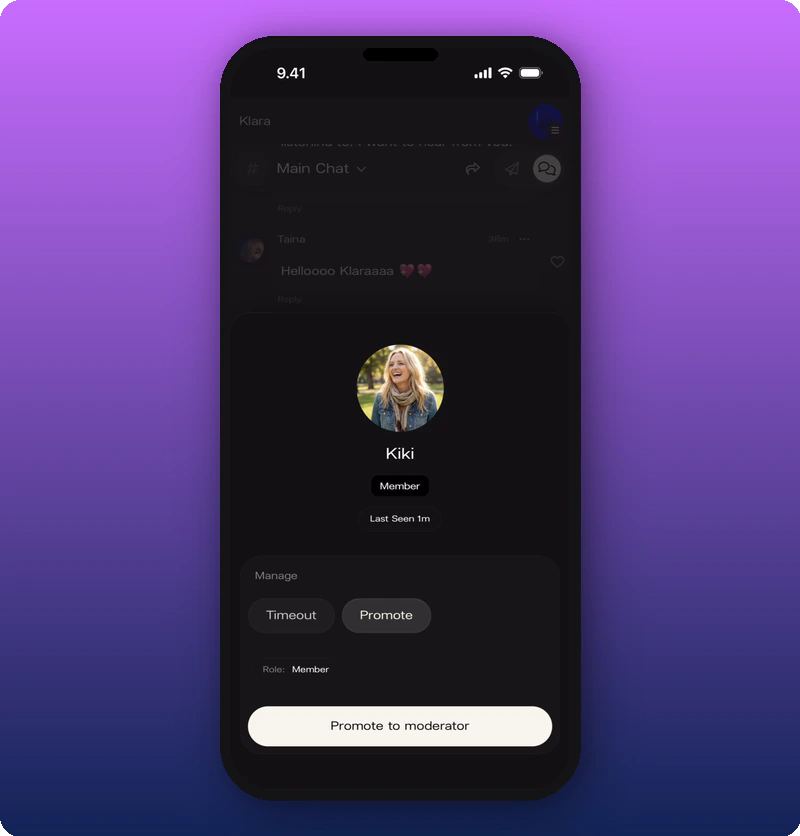
Timeout a member
Tap Timeout to reveal duration options.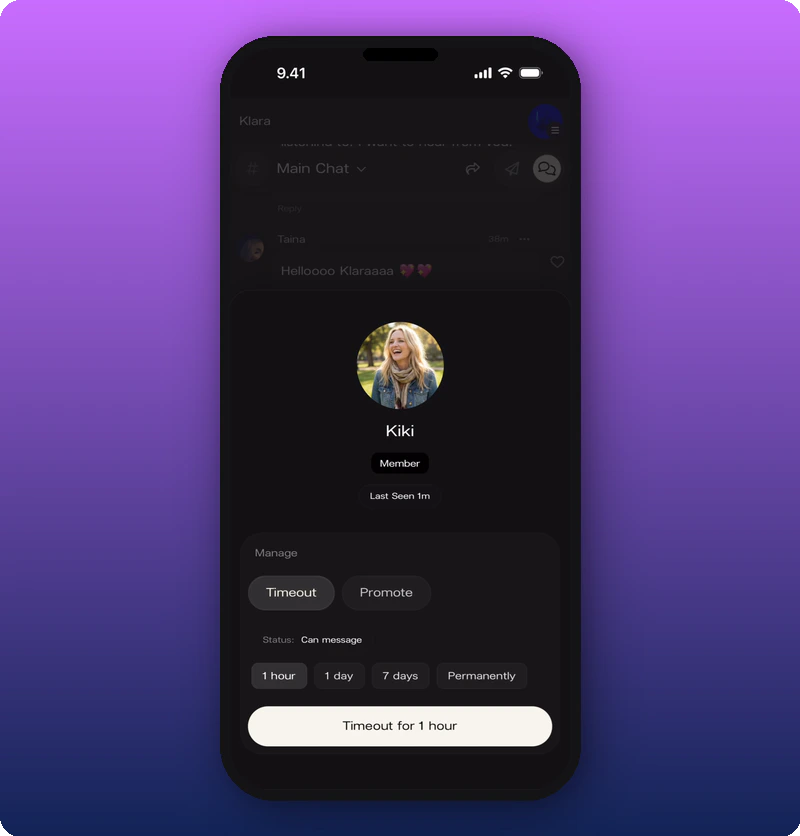
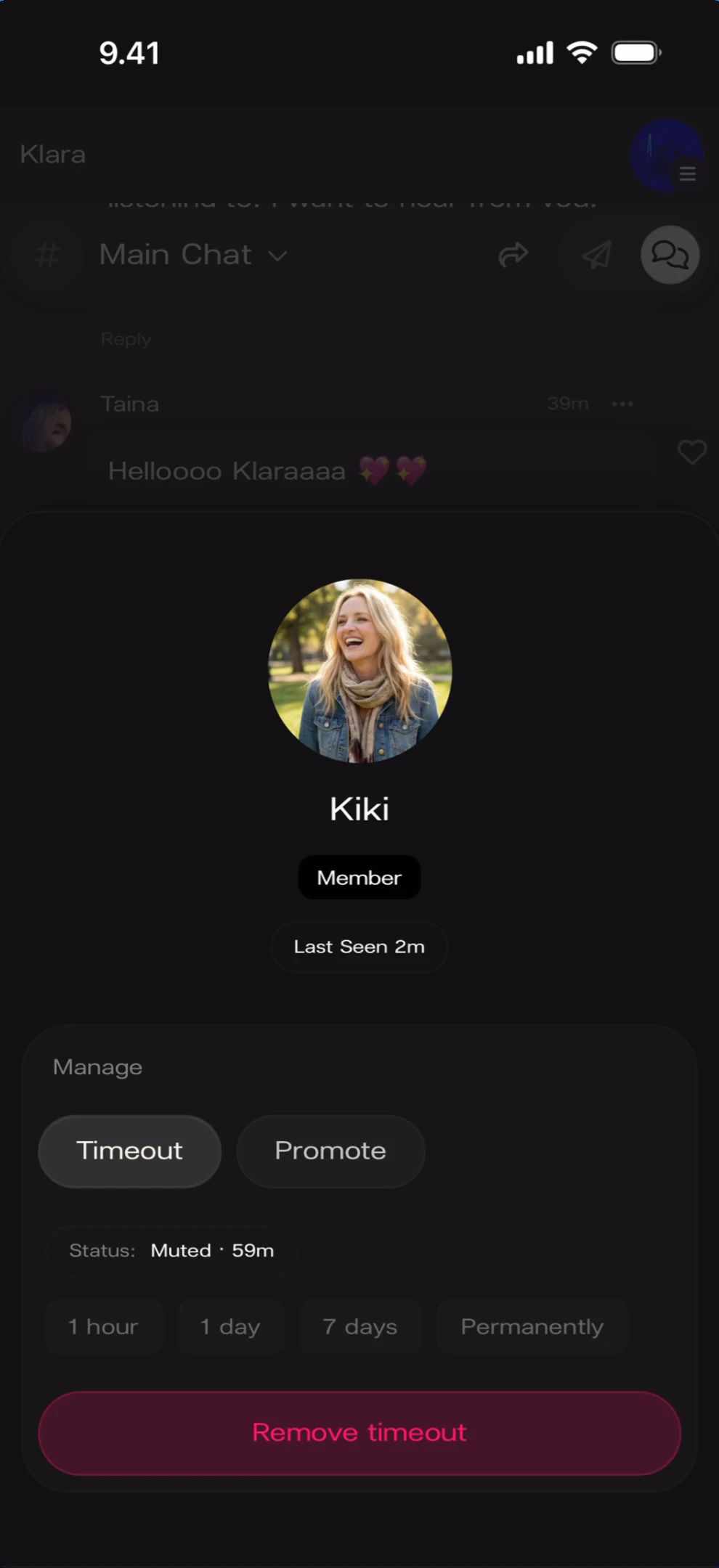
While a timeout is active
Promote a moderator
Tap Promote (or the “Promote to moderator” button). The profile card updates with a shield badge and Role: Moderator.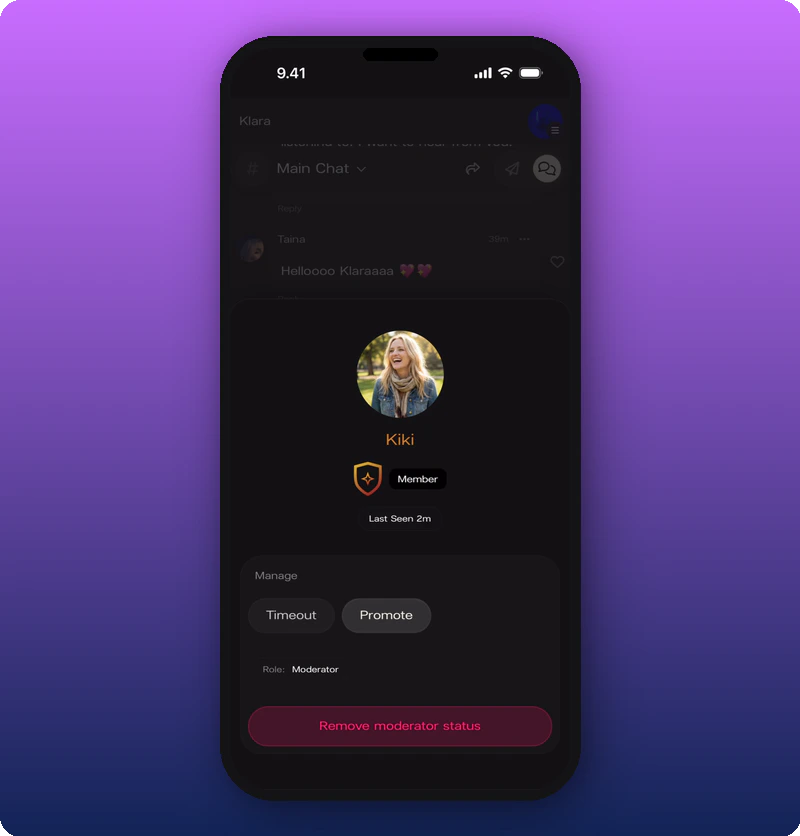
Known limitations
- The full scope of moderator permissions is not documented.
- Whether moderators see additional UI beyond regular members is not shown.